
The router lives in the living room, but the gaming console, the office desk, and the smart TV all live in rooms where Wi-Fi is a coin flip. Running ethernet through walls is the ideal fix, but most people are not drilling holes on a Saturday afternoon. Powerline adapters solve the same problem with the wiring that already exists: plug one adapter near the router, plug another in the far room, and connect a device with ethernet. They are not magic, and their real-world speed depends heavily on your home’s wiring. This guide covers the best powerline adapters in 2026 and how to get honest performance out of them.
Quick verdict
For most homes, the TP-Link Powerline AV2000 is the best choice because it offers the highest real-world throughput and two gigabit ports for a console and a PC. If your goal is a single device in one room on a budget, the Netgear Powerline 1000 covers it for less. The TP-Link AV1300 with pass-through is the best pick when you need to keep the wall outlet usable.
Who this guide is for
This guide is for gamers who want a wired connection to a console in another room, remote workers with unstable Wi-Fi in the home office, and streamers who cannot run ethernet through walls. It is also for renters who cannot modify the apartment wiring.
Who should skip these picks
Skip powerline if your home has very old wiring, multiple electrical phases, or long distances between the router and the target room; the results may be worse than modern Wi-Fi. Skip it if you need full gigabit throughput, since powerline rarely delivers that in real homes. And if the room already has coax cabling, a MoCA adapter is often the better wired option.
Best powerline adapters for home networking
1. TP-Link Powerline AV2000 — best performance
TP-Link Powerline AV2000 (TL-PA9020P)
Best powerline kit for gaming and streamingWhy it works
- AV2000 speeds over existing electrical wiring
- Two gigabit ports on the adapter for console and PC
- Plug-and-play pairing with no app required
- Works in most homes with a single electrical circuit
Tradeoffs
- Simple wired upgrade
- Two LAN ports
- Low latency for gaming
- Performance depends on home wiring
- Bulky adapters
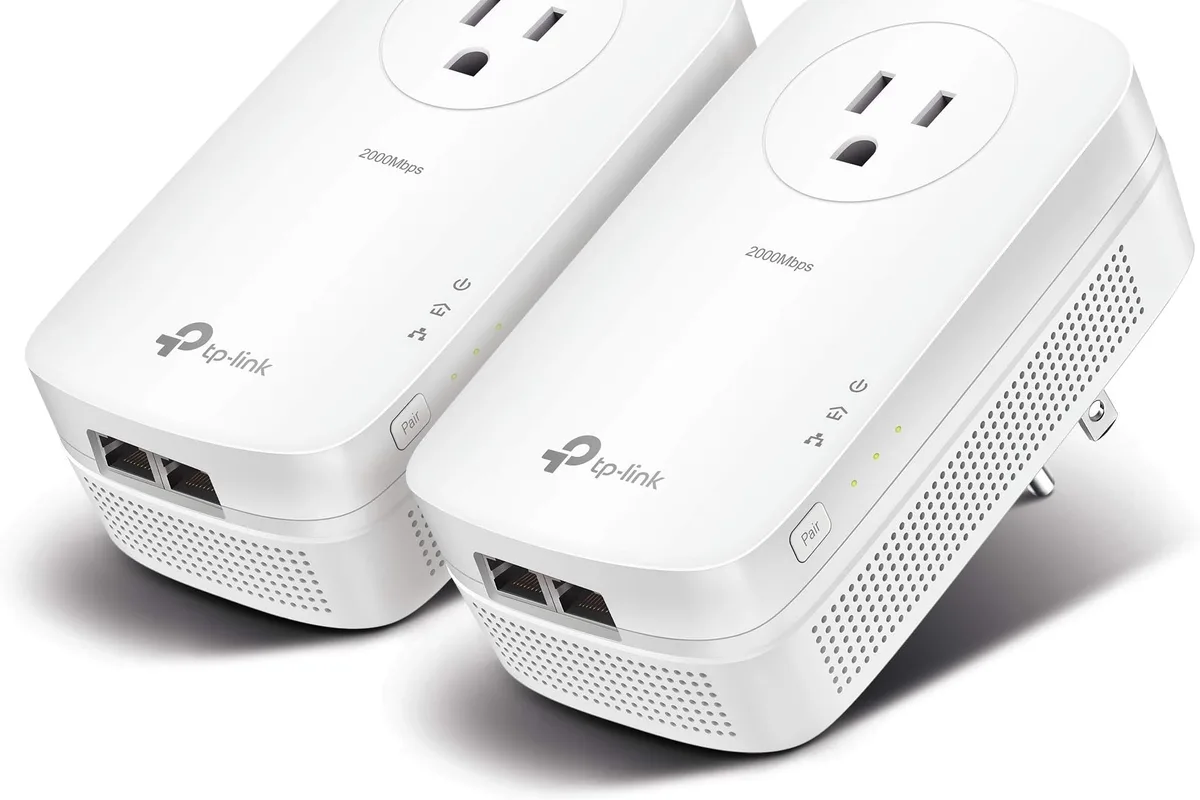
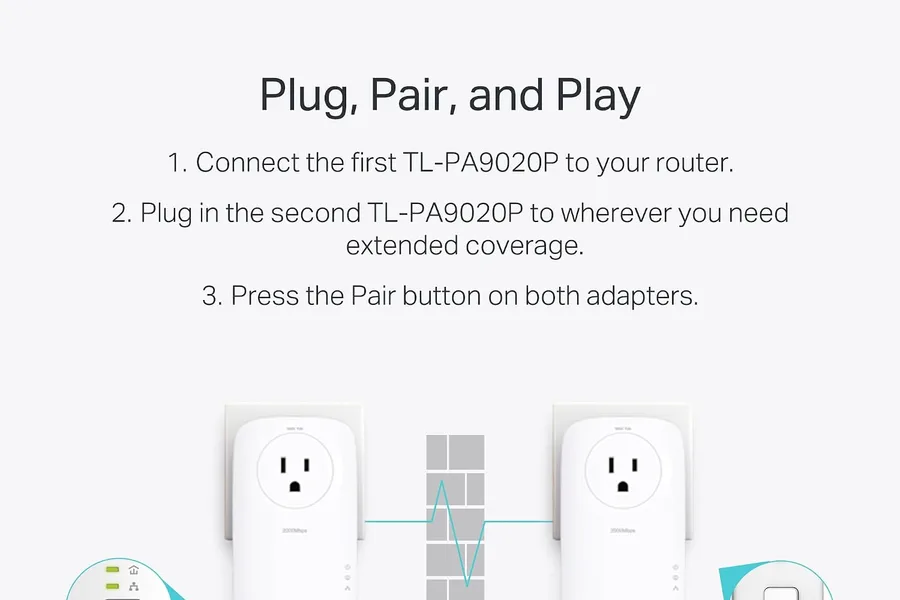
The TP-Link AV2000 is the powerline kit to buy when you want the best chance of a fast, stable wired connection. It uses the AV2000 standard with a gigabit PHY, and in homes with decent wiring it typically delivers enough throughput for 4K streaming and online gaming. The two ethernet ports are a genuine advantage: one for the console and one for the PC or smart TV in the same room. Pairing is plug-and-play, and the LED indicators make it easy to see when the link is healthy.
2. Netgear Powerline 1000 — best budget starter kit
Netgear Powerline 1000 (PLP1200)
Best budget powerline starter kitWhy it works
- Up to 1000 Mbps over house wiring
- One gigabit ethernet port per adapter
- Plug-and-play with no configuration
- Compact design that fits behind furniture
Tradeoffs
- Cheap and easy
- Works out of the box
- Good for one device
- Single LAN port
- Throughput varies with wiring quality
The Netgear PLP1200 is the honest budget choice for connecting a single device in one room. It is simple, compact, and cheap enough that trying it is low risk. Real-world throughput is lower than the AV2000, but for a smart TV that only needs a steady 1080p stream or a work laptop on video calls, it is plenty. The single ethernet port keeps it to one device, so plan accordingly.
3. TP-Link Powerline AV1300 — best with pass-through outlet
TP-Link Powerline AV1300 (TL-PA8010P)
Best compact powerline optionWhy it works
- AV1300 speeds over existing wiring
- Built-in power socket preserves outlet access
- One gigabit ethernet port
- Plug-and-play pairing
Tradeoffs
- Pass-through outlet
- Affordable
- Reliable for streaming
- Single port
- Wiring dependent
The AV1300 pass-through model is the pick for rooms where wall outlets are scarce, because the adapter keeps its own socket usable for a lamp or charger. Performance sits between the budget and premium kits, and the compact design fits behind furniture. Like the others, it is plug-and-play, and the pass-through outlet is the feature that makes it worth choosing over the cheaper kit.
Comparison table
| Adapter | Best for | Standard | Ports | Pass-through | Typical real-world |
|---|---|---|---|---|---|
| TP-Link AV2000 | Performance + two devices | AV2000 | 2 | No | 300-600 Mbps |
| Netgear 1000 | Budget single device | AV1000 | 1 | No | 150-350 Mbps |
| TP-Link AV1300 | Saving the outlet | AV1300 | 1 | Yes | 200-450 Mbps |
How to choose a powerline adapter
Start with the room and the device. A single smart TV or work laptop gets by with an AV1000 kit; a gaming setup with a console and PC benefits from the AV2000’s extra port and throughput. Next, think about outlet space: if the target room has one outlet behind furniture, the pass-through model is the practical choice.
Installation matters as much as the hardware. Plug both adapters directly into wall outlets, pair them while they are in the same room if your kit needs it, then move the remote adapter to the target room and check the link quality LED or app. If the link is weak, try another outlet or a different circuit before giving up.
What not to overpay for
Do not pay extra for a higher “AV” number than your wiring can deliver; real-world speed is limited by the house, not the sticker. Do not buy separate single adapters from different brands, since they may not pair. And avoid powerline kits with built-in Wi-Fi extenders unless you genuinely need the extra wireless coverage, because the wired link is the part that works reliably.
Final verdict
Buy the TP-Link AV2000 if you are connecting a console or PC and want the best performance, the Netgear 1000 for a single budget device, and the AV1300 pass-through when the outlet is needed for something else. Install both adapters directly into wall outlets, verify the link indicator, and test the connection with a real game or video call before you declare the dead zone fixed.