
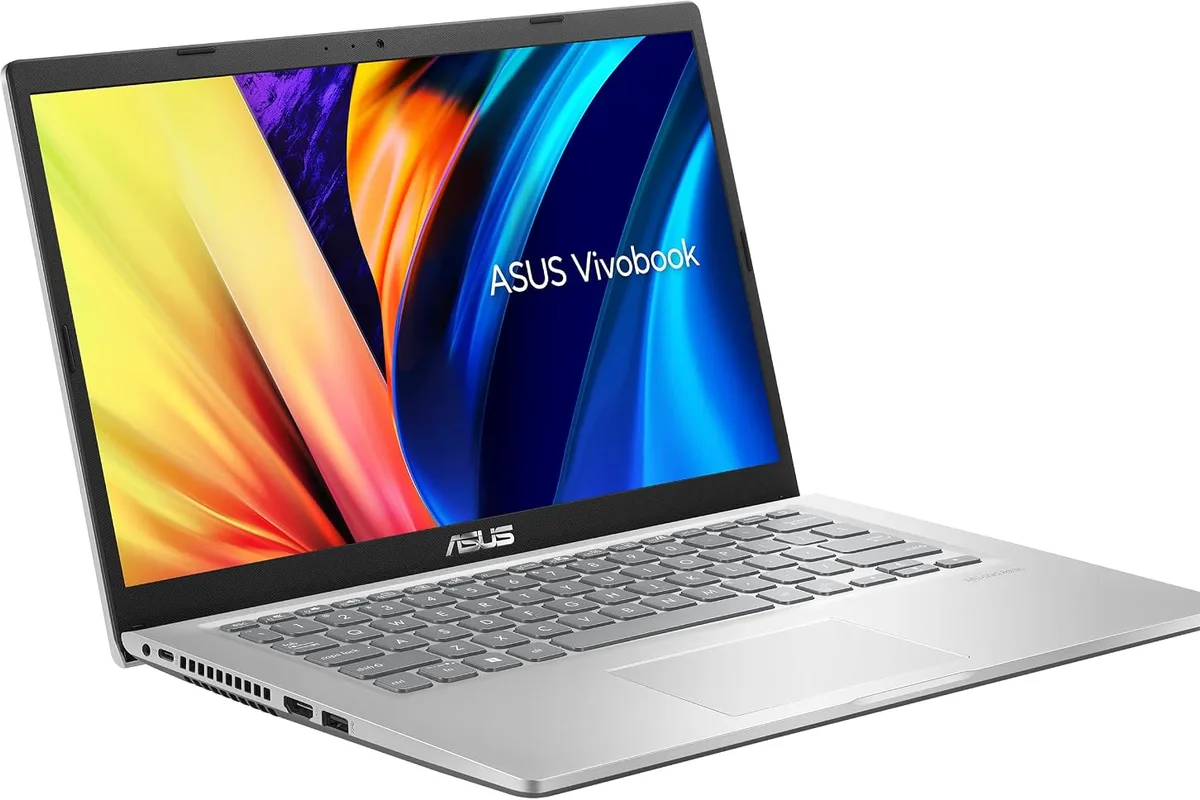
You have a syllabus, a budget, and a laptop that can barely survive a video call. If that sounds familiar, you are in the right place. This guide looks at the best budget laptops for students in 2026 from the perspective of what actually matters on campus: battery life that lasts through back-to-back lectures, a keyboard you can write essays on, enough RAM to keep fifteen tabs alive, and a price that does not wreck your semester budget.
Quick verdict
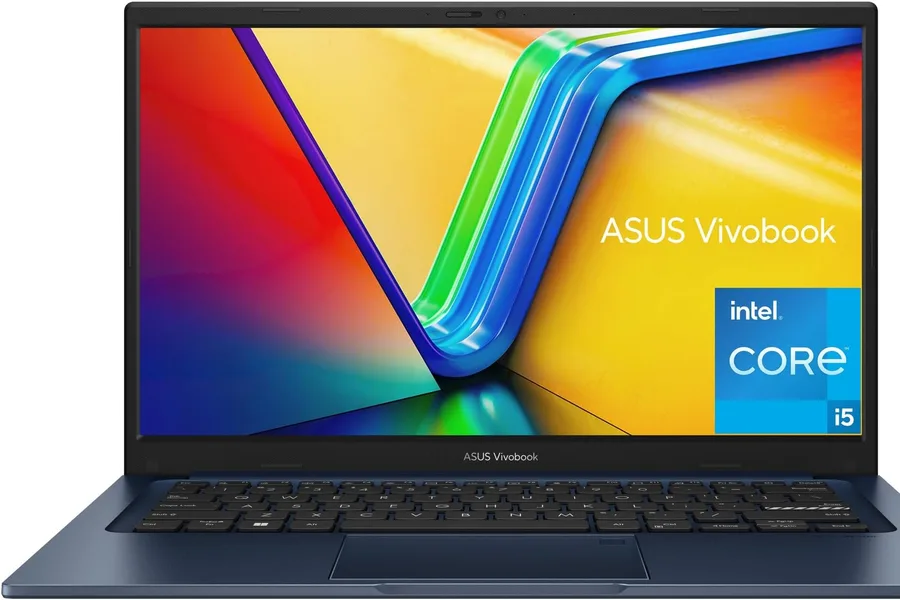
For most students, the ASUS Vivobook 14 is the best balance of performance, portability, and price. It pairs a capable Intel Core i5 with 16GB of RAM, which handles coursework, research, and light creative work without frustration. If your budget is tighter and most of your work happens in a browser, the Acer Chromebook Plus 514 is the smartest low-cost choice.
Who this guide is for
This guide is for current and incoming students who want a reliable everyday laptop under roughly $800. It covers note-taking, essays, online classes, web research, light photo editing, and basic coding. If you are buying for gaming, video editing, or heavy engineering software, the picks below will still help you understand what to look for, but you may want a dedicated machine.
Who should skip these picks
Skip these recommendations if you need a powerful dedicated GPU for 3D modeling or AAA gaming, if you rely on specialized Windows software that demands high-end specs, or if your department explicitly recommends a Mac. In those cases, budget should be spent on performance and compatibility first.
Best budget laptops for students in 2026
1. ASUS Vivobook 14 — best overall for most students
ASUS Vivobook 14 (Core i5, 16GB RAM)
Best overall budget student laptopWhy it works
- Intel Core i5 processor with 16GB RAM for smooth multitasking
- 14-inch Full HD display that is easy to carry between classes
- Solid battery life for a full day of lectures and study sessions
- Lightweight aluminum chassis at a budget-friendly price
Tradeoffs
- Strong performance for the price
- Plenty of RAM for multitasking
- Portable design
- Average speakers
- Display could be brighter outdoors
The Vivobook 14 earns the top spot because it solves the classic student tradeoff: enough performance for real work without the premium price. The 16GB of RAM is the single most useful upgrade for student life, because it prevents the slowdown that comes with dozens of browser tabs, a PDF reader, and a video call running at the same time. Its battery comfortably covers a day of classes, and the 3.5-pound weight means you will not dread carrying it across campus.
2. Lenovo IdeaPad Slim 3 — best value for mixed coursework
Lenovo IdeaPad Slim 3 (Ryzen 5, 16GB)
Best value for mixed courseworkWhy it works
- AMD Ryzen 5 processor with capable integrated graphics
- 16GB RAM for browser tabs, Office apps, and video calls
- Full HD screen with slim bezels
- Reliable keyboard for long typing sessions
Tradeoffs
- Great value
- Good integrated graphics
- Comfortable keyboard
- Plastic build
- Only average webcam
The IdeaPad Slim 3 is the value pick for students who want a Windows laptop with a little more graphics headroom. The Ryzen 5’s integrated graphics handle light photo editing and casual games far better than typical budget Intel silicon, while 16GB of RAM keeps everyday multitasking smooth. The keyboard is comfortable for long writing sessions, which matters more than almost any other feature in a student laptop.
3. Apple MacBook Air 13 (M3) — best premium option if the budget stretches
Apple MacBook Air 13 (M3)
Best premium pick for portabilityWhy it works
- Apple M3 chip with excellent performance-per-watt
- All-day battery life
- Fanless design that stays silent in class
- Bright 13.6-inch Liquid Retina display
Tradeoffs
- Outstanding battery
- Silent operation
- Premium build quality
- Only two ports
- Higher price than Windows rivals
The MacBook Air is not a budget laptop, but it deserves a mention because it is the best “buy once and use it for years” student machine. The M3 chip sips power, the fanless design is silent in quiet libraries, and the battery genuinely lasts through a full day. If your program involves media, design, or just long study sessions, the extra cost often pays off over four years of use.
4. Acer Chromebook Plus 514 — best under $400
Acer Chromebook Plus 514
Best budget ChromebookWhy it works
- Fast boot and automatic updates with ChromeOS
- Long battery life for a full school day
- Full HD touchscreen display
- Lightweight design under three pounds
Tradeoffs
- Very affordable
- Simple and secure OS
- Great battery life
- Limited offline software
- Smaller storage than typical laptops
If your coursework is mostly web-based, the Chromebook Plus is the best way to spend under $400. ChromeOS boots in seconds, updates itself, and is much harder to break than a traditional laptop. Battery life is excellent, the screen is bright enough for a library, and Android apps cover most student tools. Just be realistic about storage and offline software before buying.
Comparison table
| Laptop | Best for | RAM | Battery estimate | Starting price tier |
|---|---|---|---|---|
| ASUS Vivobook 14 | Overall coursework | 16GB | Full day | Budget-mid |
| Lenovo IdeaPad Slim 3 | Value + light graphics | 16GB | Full day | Budget |
| MacBook Air M3 | Premium portability | 16GB | All day | Premium |
| Acer Chromebook Plus | Web-only budget | 8GB | Full day | Entry |
How to choose a student laptop
Start with the three things that hurt students the most: RAM, battery, and keyboard. Eight gigabytes is the floor; sixteen is the practical sweet spot. Battery should be advertised in real terms, and a machine that can get through four or five hours of lectures plus study time will save you from hunting for outlets. Type on the keyboard before you buy if you can, because you will spend hundreds of hours on it.
Screen quality matters more than most students expect. A 1080p panel with decent brightness reduces eye strain, especially in evening study sessions. Portability matters if you commute; three pounds is comfortable, five pounds gets old quickly. Ports matter less in 2026 because most campuses are Wi-Fi based, but one USB-A port and one HDMI port save you from carrying adapters.
What not to overpay for
Do not pay extra for a dedicated GPU unless you actually game or render. Do not pay for 4K screens on a 14-inch laptop; they drain battery for little visible gain. Avoid buying extended warranties for cheap machines — the money is usually better spent on a protective case and more RAM. And be careful with “student discounts”: compare the discounted price against regular sale prices, because retailers frequently mark up before applying the discount.
Final verdict
For most students, the ASUS Vivobook 14 is the safest all-around buy: it has the RAM, battery, and build quality to survive a degree. On a tight budget, the Chromebook Plus is the clear value winner. Whichever you choose, prioritize RAM and battery over flashy specs, and buy from a retailer with a student-friendly return policy.