
Your keyboard wrist is done with Rocket League, or the living room needs a second controller for couch co-op, or you just want to play the same game on the TV and the laptop without changing muscle memory. A wireless controller is one of the few upgrades that genuinely improves almost every game, and in 2026 the choice is less about “which is best” and more about which platform you play on. Xbox, PlayStation, and budget dongle controllers all have different strengths, and this guide breaks them down with honest notes on latency, battery, and compatibility.
Quick verdict
For PC and Xbox players, the Xbox Wireless Controller is the safest all-around choice with the best ecosystem support. For PlayStation 5 owners, the DualSense is the only controller that delivers the platform’s haptic features. If you play across PC, Switch, and Android, the 8BitDo Ultimate 2.4G is the best budget multi-platform pick with a charging dock.
Who this guide is for
This guide is for console owners, PC gamers who prefer a controller for certain games, and households that want a second controller for multiplayer. It covers compatibility, battery life, and the features that justify different price points.
Who should skip these picks
Skip wireless controllers if you play only competitive shooters where you already perform well on keyboard and mouse, since a controller will not improve aim. Skip the premium picks if you rarely game with a controller; a wired controller or a budget model covers occasional couch play.
Best wireless gaming controllers
1. Xbox Wireless Controller — best overall for PC and Xbox
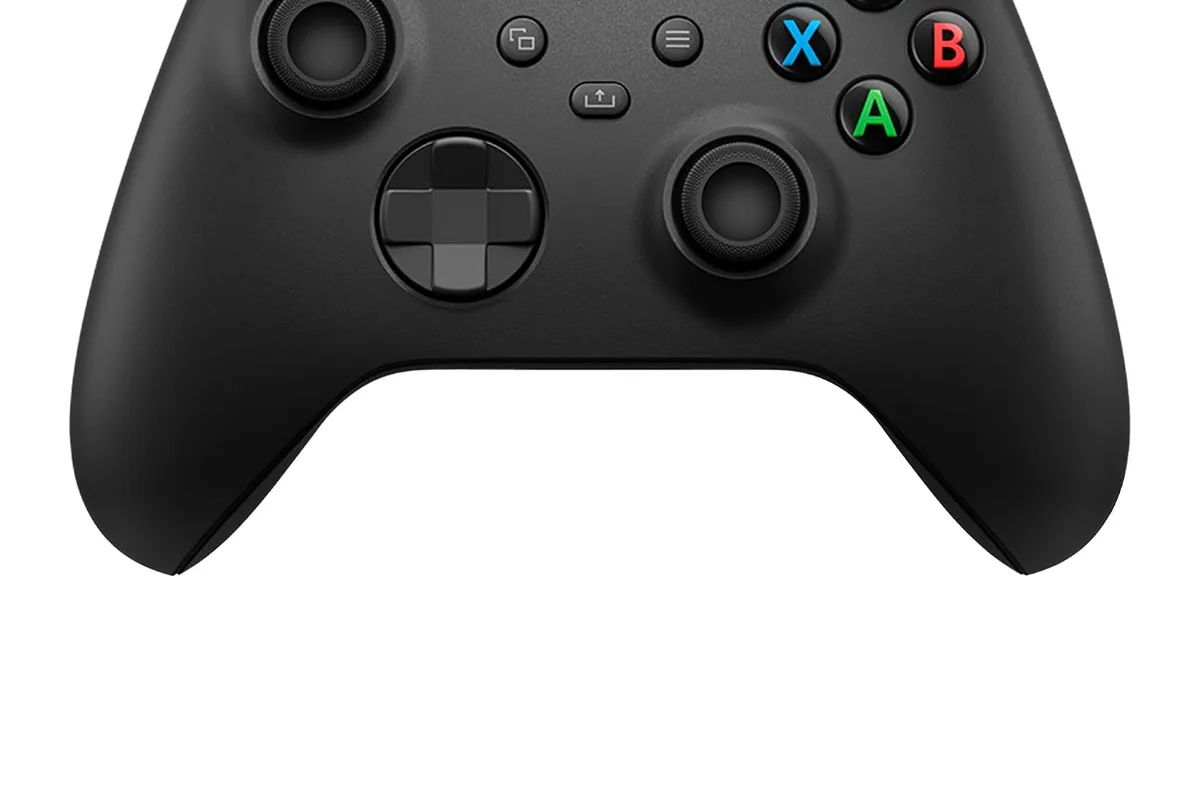
Xbox Wireless Controller
Best all-around PC and console controllerWhy it works
- Textured grips and hybrid D-pad
- Wireless, Bluetooth, and USB-C connectivity
- Works with Xbox, PC, and mobile
- 3.5mm headset jack
Tradeoffs
- Industry-standard layout
- Great compatibility
- Comfortable
- AA batteries in the base model
- No built-in rechargeable pack
The Xbox Wireless Controller is the default recommendation because it works almost everywhere: Xbox consoles, Windows PC, mobile, and cloud gaming. The textured grips and hybrid D-pad feel great, the layout is the industry standard for PC games, and Windows sees it as a native device with no extra software. It runs on AA batteries in the standard version, which some people love and others replace with a rechargeable pack. For most players, this is the controller to buy first.
2. PlayStation DualSense — best for PS5 and haptics
PlayStation DualSense Wireless Controller
Best controller for haptics and PS5 playWhy it works
- Haptic feedback and adaptive triggers
- Built-in microphone and headset jack
- Built-in rechargeable battery
- Works with PS5 and PC
Tradeoffs
- Immersive haptics
- Premium feel
- Rechargeable
- Battery life is modest
- Features vary by PC game
The DualSense is the controller that changes how games feel. Its haptic feedback and adaptive triggers are built into the PS5’s best games, turning rain, tension, and terrain into something you feel through the controller. On PC, those features work in a growing list of titles, and otherwise it functions as a solid wireless controller with a built-in rechargeable battery. Battery life is the weak spot, especially with haptics enabled, but for PS5 owners there is no real alternative.
3. 8BitDo Ultimate 2.4G — best budget multi-platform pick
8BitDo Ultimate 2.4G Controller
Best budget wireless controller for PCWhy it works
- 2.4G wireless with a charging dock
- Hall-effect joysticks for drift resistance
- Two back paddle buttons
- Works with PC, Switch, and Android
Tradeoffs
- Great price
- Charging dock included
- Drift-resistant sticks
- No motion controls on PC
- Build feels lighter
The 8BitDo Ultimate 2.4G is the best value wireless controller for players who move between PC, Switch, and Android. It uses a 2.4 GHz dongle for low-latency wireless, includes a charging dock that makes battery anxiety disappear, and its Hall-effect joysticks resist the drift that eventually kills cheaper controllers. The two back paddles add programmable buttons without the price of an elite controller. It does not have the ecosystem polish of first-party controllers, but at its price it is an outstanding deal.
Comparison table
| Controller | Best for | Wireless | Battery | Hall-effect sticks | Back buttons |
|---|---|---|---|---|---|
| Xbox Wireless | PC + Xbox | Xbox Wireless/Bluetooth | AA or pack | No | No |
| DualSense | PS5 + haptics | Bluetooth/USB | 6-12 hrs | No | No |
| 8BitDo Ultimate | Multi-platform budget | 2.4 GHz dongle | 15-20 hrs + dock | Yes | Yes |
How to choose a wireless controller
Start with your platform. PS5 owners should buy the DualSense for haptics and system-level integration. Xbox and PC players get the most seamless experience from the Xbox controller, and multi-platform households save money with a dongle-based controller like the 8BitDo Ultimate. If you play competitive games, prefer 2.4 GHz wireless or platform-standard wireless over Bluetooth for the lowest latency.
Then consider battery and durability. A charging dock removes the “dead controller” problem, and Hall-effect sticks eliminate the drift failure mode. Finally, decide whether back buttons are worth it; they help in shooters and action games but are not required for most players.
Setting up your controller for different platforms
The first hour of setup decides how painless the controller is later. Pair it with your main platform first, then update the firmware through the manufacturer’s companion app or system settings; controller updates frequently fix connection stability and input quirks, and skipping them is the most common cause of “my controller feels off.”
If you play on multiple devices, decide on one primary connection mode and stick with it. A 2.4 GHz dongle gives the lowest latency on PC and Switch, while Bluetooth is fine for casual games and cloud streaming but adds a few milliseconds of variability. Label or keep the dongle in a safe spot, because a lost dongle often means buying a whole new controller.
For controllers with back buttons, map them to actions you use constantly, not to everything. Jump, crouch, and reload are the classic choices in shooters; in racing games, paddle shifters. Assign two or three mappings, test them in a low-pressure match, and adjust. If you do not feel faster after a week, the paddles are optional, not required.
Finally, build a charging routine. With a dock, put the controller back when you finish a session; with AA batteries or a cable, keep spares or the cable by your desk. Check the battery level in the system UI before a long session, and when the controller feels unresponsive, test a wired connection first to rule out a low battery before blaming the controller or the game.
What not to overpay for
Do not pay double for an “elite” controller if you will not remap buttons or use paddles. Do not buy a controller with RGB lighting that drains battery for no gameplay benefit. And avoid third-party controllers that claim full platform compatibility but lack the features that matter, like headphone jacks or motion controls; check the compatibility list before buying.
Final verdict
Buy the Xbox Wireless Controller for PC and Xbox, the DualSense for PlayStation 5, and the 8BitDo Ultimate 2.4G for budget multi-platform play. Match the controller to the platform you use most, charge it before game night, and if you play competitively, connect with the dongle instead of Bluetooth.