
You lost a clutch round because the keypress that should have been instant landed a frame too late, or your wrist hurts after an MMO raid, or the office keyboard’s membrane keys just feel wrong for gaming. A mechanical keyboard is the upgrade that fixes all three, and in 2026 the market splits between aluminum full-size powerhouses and compact enthusiast boards. The right pick depends on your game, your desk, and how much you care about switch feel. This guide covers the best gaming keyboards in 2026 with practical, scenario-based advice.
Quick verdict
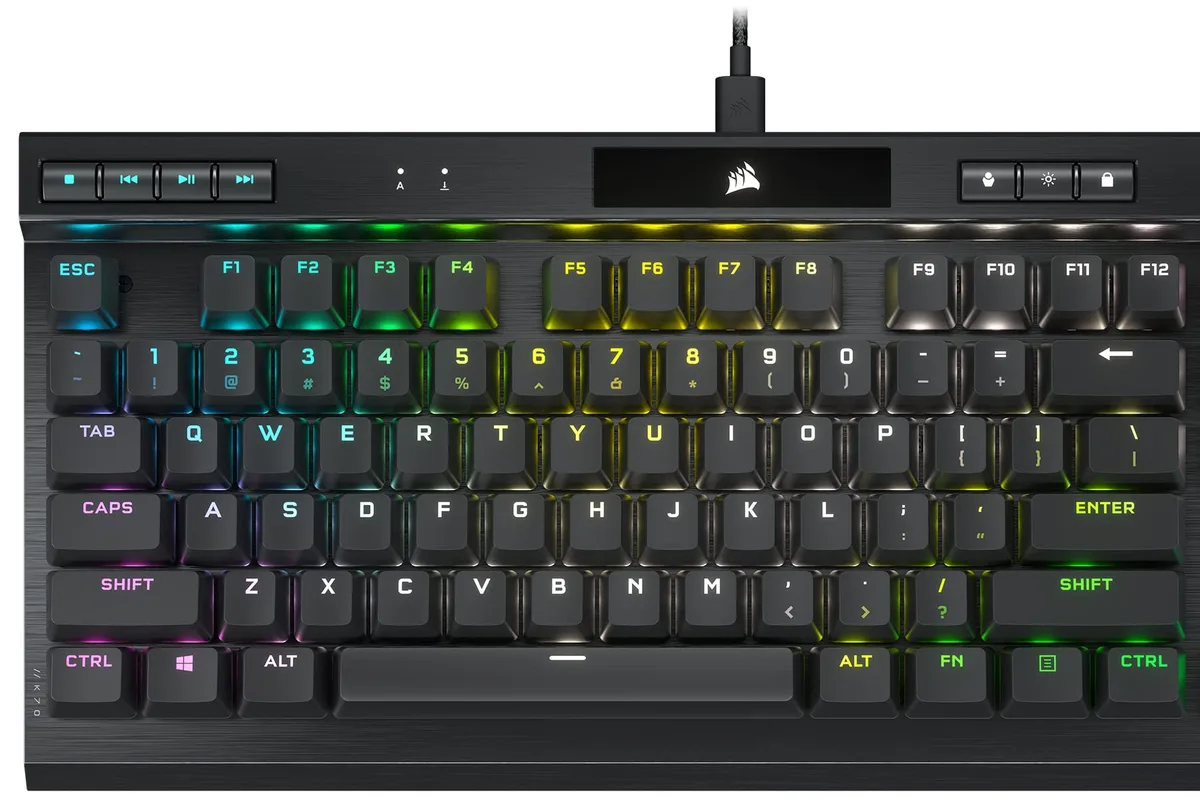
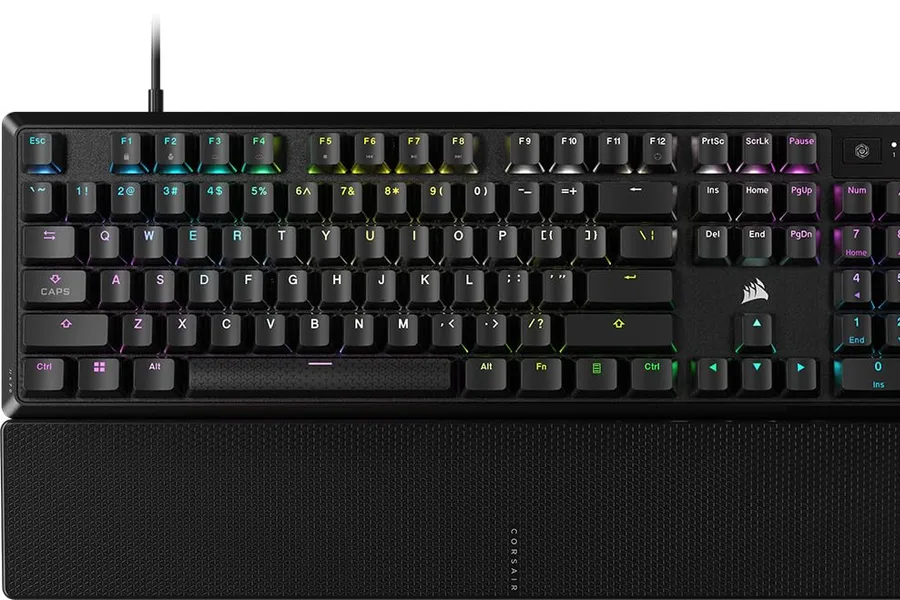
For most gamers, the Corsair K70 RGB PRO is the best full-size choice: a premium aluminum frame, fast switches, and excellent media controls for both gaming and work. If RGB and macro keys matter more, the Razer BlackWidow V4 is the pick. On a budget or for smaller desks, a hot-swappable tenkeyless board from the enthusiast scene is often the smarter value.
Who this guide is for
This guide is for PC gamers who spend hours at the keyboard, whether that is FPS matches, MMO raids, or a mix of gaming and work. It covers full-size and compact layouts, switch choices, and features that genuinely affect play.
Who should skip these picks
Skip mechanical keyboards if you play mostly on console or rarely type for long periods; a controller and a cheap membrane keyboard may serve you fine. Skip full-size flagships if desk space is tight and you never use the number pad, where a tenkeyless board is the honest recommendation.
Best gaming keyboards in 2026
1. Corsair K70 RGB PRO — best full-size gaming keyboard
Corsair K70 RGB PRO
Best full-size gaming keyboardWhy it works
- Aircraft-grade aluminum frame
- CHERRY MX switches with 8,000Hz polling
- Dedicated media keys and volume wheel
- Full per-key RGB with iCUE software
Tradeoffs
- Premium feel
- Fast response
- Great media controls
- Full-size layout is large
- Software needed for advanced lighting
The K70 RGB PRO is the full-size keyboard that does everything well. The aircraft-grade aluminum frame gives it a premium, stable feel, the Cherry MX switches are available in linear, tactile, and clicky variants, and the 8,000Hz polling option reduces latency to the theoretical floor. The dedicated media keys and volume wheel are genuinely useful for gaming and work, and iCUE handles per-key lighting and macros. It is large and the software is heavy, but for a do-everything desk keyboard it is hard to beat.
2. Razer BlackWidow V4 — best for RGB and macros
Razer BlackWidow V4
Best RGB-focused gaming keyboardWhy it works
- Razer mechanical switches with sound dampening
- Dedicated macro keys and command dial
- Per-key Chroma RGB with underglow
- Magnetic plush leatherette wrist rest
Tradeoffs
- Stunning RGB
- Comfortable wrist rest
- Macro keys
- Large footprint
- Software required for full control
The BlackWidow V4 is the pick when you want the full RGB show plus physical extras. It adds dedicated macro keys, a command dial, and per-key Chroma lighting with underglow, and the magnetic leatherette wrist rest is one of the most comfortable in gaming. The Razer switches feel consistent and sound dampened, which matters for streamers with open microphones. It is a big keyboard for a big desk, and Razer Synapse is required for the advanced features, but for customization fans it delivers.
Comparison table
| Keyboard | Best for | Layout | Switches | Polling | Media keys |
|---|---|---|---|---|---|
| K70 RGB PRO | Overall full-size | Full | Cherry MX | 8000 Hz | Yes |
| BlackWidow V4 | RGB + macros | Full | Razer | 1000 Hz | Dial + keys |
How to choose a gaming keyboard
Start with the switch feel, because it is the feature you touch every day. Linear switches suit fast FPS play and quiet rooms, tactile switches give feedback for typing-heavy sessions, and clicky switches are best only if nobody else shares your space. If you are unsure, buy a cheap switch tester or choose a hot-swappable board so you can change switches later.
Then pick the layout by desk and game. Full-size boards keep the number pad for work and MMOs; TKL boards give mouse room for FPS. Finally, look for the practical details: a detachable USB cable, per-key software, onboard profiles, and a wrist rest if you type for hours. Polling rate and RGB are nice-to-haves, not decision-makers.
Setting up your gaming keyboard
Spend the first session configuring the keyboard instead of playing with default settings. In the companion software, set the polling rate (1000 Hz is the sensible default for almost everyone), turn on onboard profiles if the board supports them, and map the keys you actually use: push-to-talk, inventory, ability binds, and media controls. Saving profiles to the keyboard’s memory means your layout follows you to a different PC or survives a software reinstall.
If the keyboard has RGB, tune it once for function rather than spectacle. A subtle color per keyzone, or highlighting only the keys you need in the heat of a match, is easier on the eyes than a rainbow wave and does not distract during night sessions. You can keep the full effect for when friends come over.
Cleanliness matters more on gaming keyboards than on office boards. Crumbs, dust, and skin oil accumulate between keycaps and can make switches feel gritty. Pop off the keycaps every couple of months, brush the switch plate, and wipe the caps with a damp cloth. If you eat at your desk, keep a lid or a cover nearby; a spilled drink is the most common cause of keyboard death.
Finally, break in the feel before judging it. New mechanical switches and keycaps can feel slightly stiff for the first few hundred presses, and the sound of a board changes as foam and plates settle. Give any new keyboard at least a week of normal use before deciding whether the switches are right for you.
What not to overpay for
Do not pay extra for 8,000Hz polling unless you are chasing the last millisecond in competitive shooters. Do not buy a keyboard with software that forces an account or cloud login for basic lighting. And skip “gaming” versions of office keyboards that add RGB but keep the same membrane switches; a mechanical keyboard is the upgrade, not the lighting.
Final verdict
Choose the Corsair K70 RGB PRO for the best all-around full-size experience, or the Razer BlackWidow V4 if macro keys and RGB are priorities. If desk space is tight, look for a hot-swappable TKL board from the enthusiast market. Test the switch feel before buying when you can, and remember that the best keyboard is the one that feels right after hour three, not minute one.