
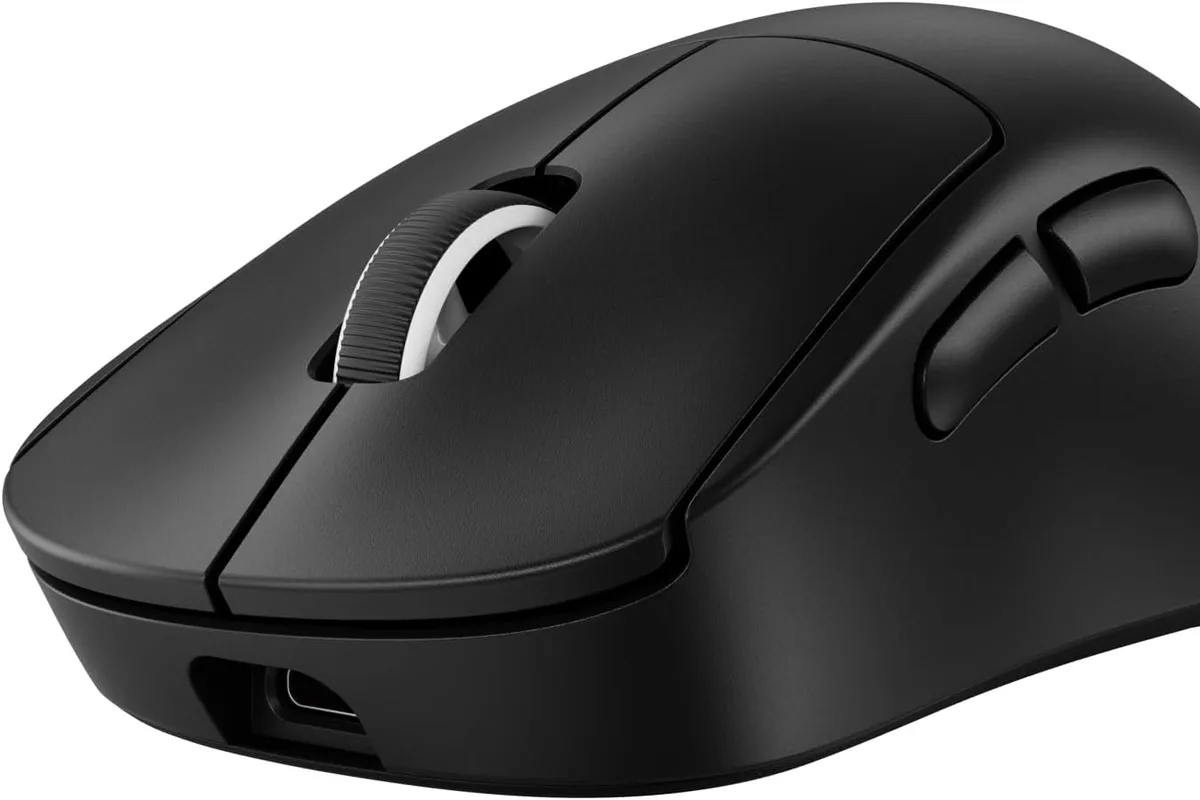
The crosshair moved, then caught, then moved again, and the fight was over before the cursor finished its journey. In FPS games, the mouse is the input that decides matches, and the difference between a mediocre sensor and a great one is visible in tracking, flicks, and consistency. In 2026, the competitive mouse market has converged on a simple formula: lightweight, wireless, and a shape that disappears in your hand. This guide covers the best gaming mice for FPS games, with honest advice on weight, sensors, and grip.
Quick verdict
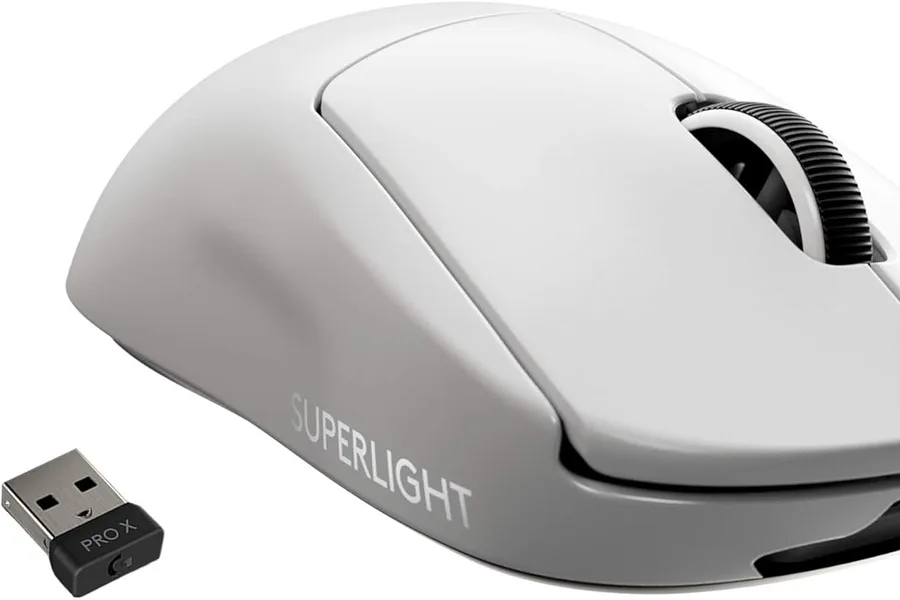
For most competitive FPS players, the Logitech G Pro X Superlight remains the benchmark: an ultra-lightweight wireless design with a top-tier sensor and proven pro adoption. If your hand prefers a fuller, ergonomic shape, the Razer DeathAdder V3 Pro is the best alternative. Both eliminate cable drag and deliver latency low enough for ranked play.
Who this guide is for
This guide is for players of Valorant, CS2, Apex Legends, Overwatch, and similar aim-heavy shooters who want a mouse that tracks precisely, glides smoothly, and suits their grip. It also covers players upgrading from office mice or older wired gaming mice.
Who should skip these picks
Skip lightweight competitive mice if you prefer a heavier, more stable feel or play mostly strategy and MMO games, where extra buttons matter more than weight. Skip wireless if you are on a strict budget and your current wired mouse has a good sensor; the upgrade is incremental, not transformative.
Best gaming mice for FPS
1. Logitech G Pro X Superlight — best overall for competitive FPS
Logitech G Pro X Superlight
Best lightweight mouse for competitive FPSWhy it works
- Ultra-lightweight design around 60 grams
- HERO 2 sensor with up to 32,000 DPI
- Lightspeed wireless with sub-millisecond response
- Large PTFE feet for smooth gliding
Tradeoffs
- Featherlight
- Top-tier sensor
- Reliable wireless
- Minimal buttons
- Expensive
The G Pro X Superlight is the mouse that ended the “wireless is worse” debate. At around 60 grams, it is light enough for effortless flicks, and the HERO 2 sensor tracks fast swipes without spin-outs. The shape is a safe, proven middle ground that works for claw and fingertip grips, and the PTFE feet glide smoothly on most pads. It is intentionally minimal: no RGB, no extra buttons, just the essentials done at an elite level. The price is high, but for a main FPS mouse it is the safest recommendation in this guide.
2. Razer DeathAdder V3 Pro — best ergonomic FPS mouse
Razer DeathAdder V3 Pro
Best ergonomic esports mouseWhy it works
- Ergonomic shape refined with pro players
- Focus Pro 30K optical sensor
- HyperSpeed wireless with 90-hour battery
- Only 63 grams for a full-size mouse
Tradeoffs
- Excellent ergonomics
- Precise sensor
- Long battery
- No Bluetooth
- Pricey
The DeathAdder V3 Pro is the pick for players who want a fuller shape that fills the palm. The ergonomic design has been refined over generations, the Focus Pro 30K sensor is among the most accurate available, and at 63 grams it is surprisingly light for a full-size mouse. The 90-hour battery means charging becomes a weekly thought instead of a daily one. It is palm-grip oriented, so fingertip players may find the Superlight shape more natural, but for comfort over long sessions it is excellent.
Comparison table
| Mouse | Best for | Weight | Wireless | Battery | Grip |
|---|---|---|---|---|---|
| G Pro X Superlight | Overall competitive | ~60g | 2.4 GHz | ~70 hrs | Claw/fingertip |
| DeathAdder V3 Pro | Ergonomic palm grip | ~63g | 2.4 GHz | ~90 hrs | Palm |
How to choose an FPS mouse
Measure your hand and identify your grip before reading specs. Palm grip means your whole hand rests on the mouse, claw grip arches your fingers, and fingertip grip uses only your fingertips. The shape that matches your grip is the single most important factor; no sensor upgrade compensates for a shape that fights your hand.
Then look at weight, wireless implementation, and sensor quality. Under 70 grams is the competitive sweet spot. A 2.4 GHz dongle with low-latency wireless is essential; Bluetooth is not. Sensor DPI numbers above 16,000 are marketing, so focus on tracking tests and lift-off behavior from reputable reviews.
Dialing in your FPS mouse
The first thing to set is sensitivity, and it should be done in-game, not on the mouse. Choose a DPI between 400 and 1600 in the mouse software, then adjust your in-game sensitivity until a full swipe across your mousepad turns you roughly 180 degrees. The exact number is personal; what matters is consistency. Write down your DPI and in-game sensitivity so you can reproduce the same feel after a game update or a format.
Then tune the lift-off distance. Most gaming software lets you set how far the mouse can be lifted before the sensor stops tracking, and a lower lift-off distance prevents the cursor from drifting when you reset your hand mid-fight. Test it by lifting the mouse slightly while moving it; if the cursor still moves, lower the setting until it stops.
Your surface matters as much as the sensor. A cloth mousepad with consistent texture gives the PTFE feet a predictable glide, while hard pads feel faster but wear skates quicker. If you bought a new mouse with stock skates, give them a few days to break in before judging the feel; fresh PTFE can feel grippy for the first sessions.
Finally, charge before you play. Wireless mice lose battery at the worst moments, so plug in when you finish a session or keep the charging cable near the desk. Set the mouse software to update firmware when prompted, and save your DPI profile to onboard memory if the mouse supports it, so settings survive software updates and other computers.
What not to overpay for
Do not pay for the highest DPI number on the box, because you will never use it. Do not pay extra for RGB on a mouse you will grip in your palm where nobody can see it. Skip mice with a honeycomb shell if you prefer a solid feel, and avoid software that requires an account just to set DPI steps. Set your sensitivity in-game, not with DPI stickers.
Final verdict
Choose the G Pro X Superlight for the safest, most proven competitive shape, or the DeathAdder V3 Pro if your hand needs a fuller ergonomic grip. Buy a good cloth mousepad to match, set your DPI between 400 and 1600, and practice your tracking. The mouse will do its job; the hours in the aim trainer will do the rest.