
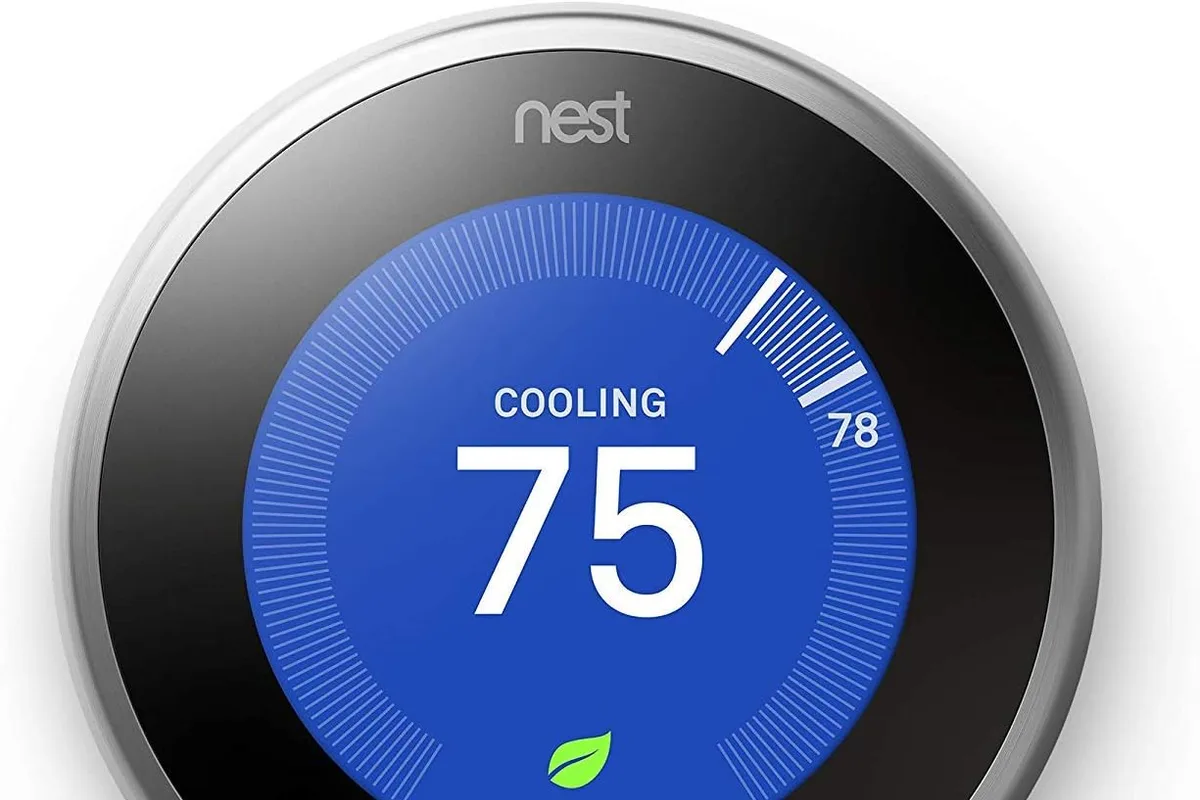
The hallway thermostat measures the hallway, not the living room where you actually sit, and it certainly does not know that the house is empty from 9 to 5. A smart thermostat fixes both problems by adding a schedule, remote control, and sometimes a room sensor to the same box on the wall. After years of helping readers choose, the real question in 2026 is not whether to buy one, but which kind fits your home: an automatic learning model, a room-sensor system, or a straightforward value pick. This guide covers the best smart thermostats in 2026 for each scenario.
Quick verdict
For most families, the Google Nest Learning Thermostat is the best overall because it builds a schedule from your habits and simply gets out of the way. If your home has uneven room temperatures, the ecobee Smart Thermostat Premium is the better pick thanks to its included room sensor and air quality monitoring. On a tighter budget, the Honeywell Home T9 delivers room sensors and reliable scheduling for less.
Who this guide is for
This guide is for homeowners and renters with a standard 24-volt HVAC system who want lower energy use, remote temperature control, or fewer morning arguments about the thermostat. It also covers households where one room is always too hot or too cold, which is the most common reason people upgrade.
Who should skip these picks
Skip these thermostats if your heating system runs on 120/240-volt baseboard heaters or line-voltage wiring, which requires a line-voltage thermostat instead. Skip them if you rent in a building that prohibits wiring changes, or if you simply want a programmable thermostat without an app, where a $30 model is the honest choice.
Best smart thermostats in 2026
1. Google Nest Learning Thermostat — best automatic scheduling
Google Nest Learning Thermostat (4th Gen)
Best smart thermostat for learning schedulesWhy it works
- Learns your routine and builds a heating and cooling schedule
- Matter support for smart home ecosystems
- Remote control through the Google Home app
- Energy history and monthly reports
Tradeoffs
- Genuinely automatic scheduling
- Polished app
- Wide HVAC compatibility
- Premium price
- No separate room sensors in the base kit
The Nest Learning Thermostat is the pick for people who want comfort without building schedules manually. It watches when you adjust the temperature, learns your routine, and creates a heating and cooling plan that adapts over time. The Google Home app adds remote control, energy history, and monthly reports that show what your schedule is actually costing. It also supports Matter, so it can join Apple Home or other ecosystems through a compatible hub. The tradeoff is price: you are paying for learning and polish, not for extra sensors in the box.
2. ecobee Smart Thermostat Premium — best for room-by-room comfort
The ecobee Premium is the right choice when the thermostat’s hallway reading does not match the room where your family spends the evening. It ships with a SmartSensor you can place in the room that matters, and the thermostat will balance its schedule around occupancy. The built-in air quality monitoring is a genuinely useful extra for allergy households, and the large touchscreen plus built-in voice assistant make it feel like a small smart hub on the wall. It costs more, but the sensor bundle and air quality features justify the premium for the right home.
3. Honeywell Home T9 — best value with room sensors
Honeywell Home T9 Smart Thermostat
Best value with room sensorsWhy it works
- Includes one remote room sensor with a second sensor option
- Prioritizes whichever room is occupied
- Compatible with most 24-volt HVAC systems
- Geofencing that adjusts when you leave or return
Tradeoffs
- Sensors included at a lower price
- Clean touchscreen
- Reliable scheduling
- Design is less premium
- App feels dated
The Honeywell Home T9 gives you the two features that matter most for uneven homes, room sensors and occupancy priority, at a lower price than the premium competitors. The included sensor can be joined by a second one, and the thermostat will focus on the room where someone is actually present. Its app is less polished than Nest or ecobee, and the design is functional rather than gorgeous, but the core comfort job is handled reliably.
Comparison table
| Thermostat | Best for | Sensors included | Air quality | Matter |
|---|---|---|---|---|
| Nest Learning 4th Gen | Automatic schedules | No | No | Yes |
| ecobee Premium | Room comfort + air quality | Yes (1) | Yes | Yes |
| Honeywell T9 | Value with sensors | Yes (1) | No | No |
How to choose a smart thermostat
First, confirm compatibility: most 24-volt gas, electric, and heat-pump systems work, but your wiring configuration matters. Use the manufacturer’s compatibility checker with your existing thermostat wire labels before ordering. Next, decide whether you need room sensors. If one room is always too hot or cold, the ecobee or Honeywell will solve it; if your home is fairly even, the Nest’s learning schedule delivers more value.
Think about who controls the house. If everyone already uses Google Home or Alexa, choose a thermostat that joins that ecosystem smoothly. If your family mixes Apple and Google devices, Matter support is worth having. Finally, consider install effort: all three can be DIY projects for someone comfortable with basic wiring, but a C-wire or heat-pump setup may justify a professional visit.
What not to overpay for
Do not pay extra for features you will not use, such as built-in voice assistants or air quality sensors, unless the problem they solve is real. Avoid thermostats that lock important features behind a subscription, and check whether the energy-tracking reports are free. Also skip any model that requires a proprietary app with no physical controls, because a thermostat that fails when the network fails is not a thermostat worth owning.
Final verdict
Pick the Nest Learning Thermostat if you want the most hands-off schedule. Pick the ecobee Premium if an uneven room or indoor air quality is your actual problem, and the Honeywell Home T9 if you want room sensors at the best price. Run the compatibility check before you buy, set the first schedule, and compare next month’s energy report against this month’s baseline to see what changed.