
Your laptop compiles the project, but it sounds like a leaf blower while doing it, and the battery dies before your third meeting. Programmers have a specific relationship with their machines: it is a work tool, a test environment, and often the thing that decides whether a compile takes 20 seconds or three minutes. In 2026, the best programming laptops combine fast CPUs, enough RAM for containers and editors, a keyboard you can live on, and battery life that survives a day of standups. This guide breaks down the best options for different stacks and budgets.

Quick verdict
For most developers, the Apple MacBook Pro 14 is the best all-around choice: outstanding CPU performance, silent operation, and battery life that outlasts a workday. If you prefer Windows or Linux, the Lenovo ThinkPad X1 Carbon is the best keyboard-and-durability pick. The Dell XPS 13 and Surface Laptop 6 are the premium ultrabook alternatives.
Who this guide is for
This guide is for professional developers, CS students, and technical founders who write code daily. It covers web, backend, mobile, and cloud development, plus light local AI and container work.
Who should skip these picks
Skip these laptops if you do heavy CUDA, game development, or large-scale local AI training; those workloads need a dedicated GPU and often a desktop. Skip premium ultrabooks if your employer provides a workstation and your personal machine is only for side projects, where a mid-range model is the honest buy.
Best laptops for programmers in 2026
1. Apple MacBook Pro 14 — best overall for developers
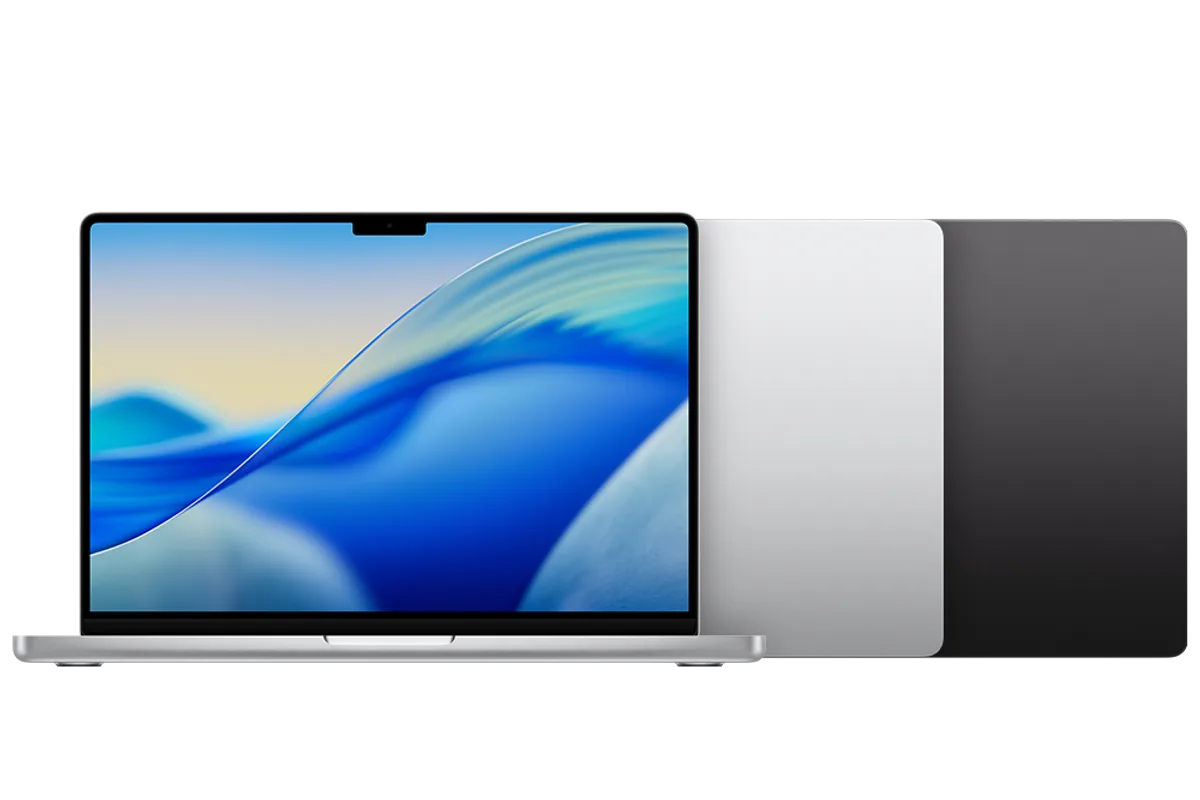
Apple MacBook Pro 14 (M4 Pro)
Best laptop for professional developersWhy it works
- M4 Pro chip with up to 14 CPU cores
- Liquid Retina XDR display with ProMotion
- Up to 36GB unified memory options
- Exceptional battery life under load
Tradeoffs
- Outstanding build quality
- Silent under load
- Best-in-class battery
- Expensive
- Heavier than the Air line
The MacBook Pro 14 is the laptop most developers end up recommending because it removes the friction from daily work. The M4 Pro chip handles heavy builds, Docker containers, and dozens of browser tabs without throttling, and the fanless-under-light-load design means it is quiet in meetings and coffee shops. The Liquid Retina XDR display is excellent for long sessions, and battery life genuinely covers a full day of mixed work. It is expensive, and ARM compatibility is worth checking for your toolchain, but for most web, backend, and mobile stacks it is the best tool for the job.
2. Lenovo ThinkPad X1 Carbon — best for Windows and Linux
Lenovo ThinkPad X1 Carbon Gen 13
Best business ultrabook for durabilityWhy it works
- MIL-SPEC tested carbon fiber chassis
- Best-in-class keyboard
- Intel Core Ultra or Snapdragon options
- Security features including fingerprint and IR camera
Tradeoffs
- Legendary keyboard
- Lightweight
- Excellent support
- Pricey
- Speakers are average
The X1 Carbon is the Windows laptop that programmers trust for one reason above all: the keyboard. It also brings a carbon fiber chassis that survives travel, excellent Linux support in the community, and solid security features for enterprise work. The 13th-gen model is light, quiet, and fast enough for most development. The tradeoff is price, and the speakers are only average, but if you type for a living on Windows or Linux, this is the safest recommendation.
3. Dell XPS 13 — best premium ultrabook
Dell XPS 13
Best ultrabook for premium portabilityWhy it works
- Ultra-slim aluminum and glass design
- 13.4-inch InfinityEdge display with OLED option
- Snapdragon X or Intel Core options with long battery
- Premium keyboard and trackpad
Tradeoffs
- Stunning design
- Great display
- Excellent portability
- Limited ports
- Premium price
The XPS 13 is the pick when portability leads: an impossibly thin frame, a gorgeous display, and all-day battery in a package that disappears in a bag. The latest Snapdragon X versions bring ARM battery life to Windows, and the Intel versions remain the safe choice for compatibility. The keyboard is good rather than great, and ports are limited, but for developers who live in the cloud and an editor, it is a superb travel machine.
4. Microsoft Surface Laptop 6 — best Windows ultrabook with Copilot+
Microsoft Surface Laptop 6
Best premium Windows ultrabookWhy it works
- Snapdragon X Elite with Copilot+ features
- 13.8-inch PixelSense touchscreen
- Exceptional battery life
- Premium magnesium build
Tradeoffs
- Beautiful design
- Long battery
- Excellent display
- Limited ports
- Premium price
The Surface Laptop 6 is Microsoft’s best answer to the MacBook Air for developers who want Windows with premium build quality. The Snapdragon X Elite chip delivers outstanding battery life, the 13.8-inch touchscreen is sharp and bright, and Copilot+ features are built in for AI-assisted workflows. It runs Windows on ARM well for most dev tools, but check your native dependencies before switching from x86.
Comparison table
| Laptop | Best for | CPU | RAM | Battery | Keyboard |
|---|---|---|---|---|---|
| MacBook Pro 14 | Overall dev work | M4 Pro | 16-36GB | Excellent | Great |
| ThinkPad X1 Carbon | Windows/Linux typing | Core Ultra | 16-32GB | Very good | Best-in-class |
| Dell XPS 13 | Portability | Snapdragon X / Core | 16-32GB | Excellent | Good |
| Surface Laptop 6 | Windows + Copilot+ | Snapdragon X Elite | 16-32GB | Excellent | Good |
How to choose a programming laptop
Start with RAM: 16GB minimum, 32GB for serious work. Then match the CPU to your workload, with the understanding that modern chips are all fast enough for editing and compiling; the real differences show in battery, thermals, and compatibility. Choose the operating system that matches your team: macOS for iOS and many web shops, Windows with WSL2 for .NET and enterprise, and Linux directly on hardware you can fully control.
Then look at the non-spec factors: keyboard comfort, screen quality, port selection, and upgradeability. A laptop you can repair or upgrade saves money over four years. Finally, check your toolchain’s ARM compatibility before buying Apple Silicon or Snapdragon, because one incompatible Docker image can turn a dream machine into a headache.
What not to overpay for
Do not pay for a dedicated GPU unless your stack needs CUDA or game engines. Do not buy 8GB RAM laptops no matter how cheap they are. Do not pay a premium for 4K displays on a 13-14 inch screen, where battery drain outweighs the visible difference. And skip “gaming” variants for development unless you also game, because the extra weight and fan noise buy nothing for your workflow.
Final verdict
Choose the MacBook Pro 14 for the best overall developer experience, the ThinkPad X1 Carbon for Windows or Linux with the best keyboard, and the XPS 13 or Surface Laptop 6 for ultraportable Windows work. Buy 32GB if you can, verify your toolchain’s ARM support, and treat the keyboard as the feature you will feel every single day.