
You heard the footsteps a second before the killcam showed the enemy around the corner, and then the team chat erupted because your microphone picked up the keyboard, the fan, and half the kitchen. A gaming headset is the most important piece of audio gear for online play, not because it makes you hear more, but because it lets you hear the right things clearly and communicate without shouting. In 2026 the best gaming headsets fall into two camps: premium wireless models with studio-grade tuning, and wired value picks that do 90 percent of the job for a fraction of the price. This guide covers both.
Quick verdict
For competitive players who want the best, the SteelSeries Arctis Nova Pro is the top pick: clean positional audio, an excellent microphone, and all-day comfort. For most gamers on a realistic budget, the HyperX Cloud III is the best value wired headset, with comfort and clarity that outperform headsets twice its price.
Who this guide is for
This guide is for PC and console gamers who play team-based shooters, battle royales, or MMOs where footsteps and voice chat matter. It also covers streamers and remote workers who want one headset for gaming, music, and calls.
Who should skip these picks
Skip premium headsets if you play a few hours a week and already own any decent headset; the upgrade is subtle. Skip gaming headsets entirely if music quality is your top priority, since dedicated headphones with a separate microphone will usually sound better for the same money.
Best gaming headsets in 2026
1. SteelSeries Arctis Nova Pro — best overall
SteelSeries Arctis Nova Pro
Best premium gaming headset for multiplayerWhy it works
- Premium audio with active noise cancellation
- Sonar software with parametric EQ
- Multi-system support with a GameDAC
- Comfortable memory foam ear cushions
Tradeoffs
- Excellent sound imaging
- Great microphone
- All-day comfort
- Very expensive
- GameDAC adds setup complexity
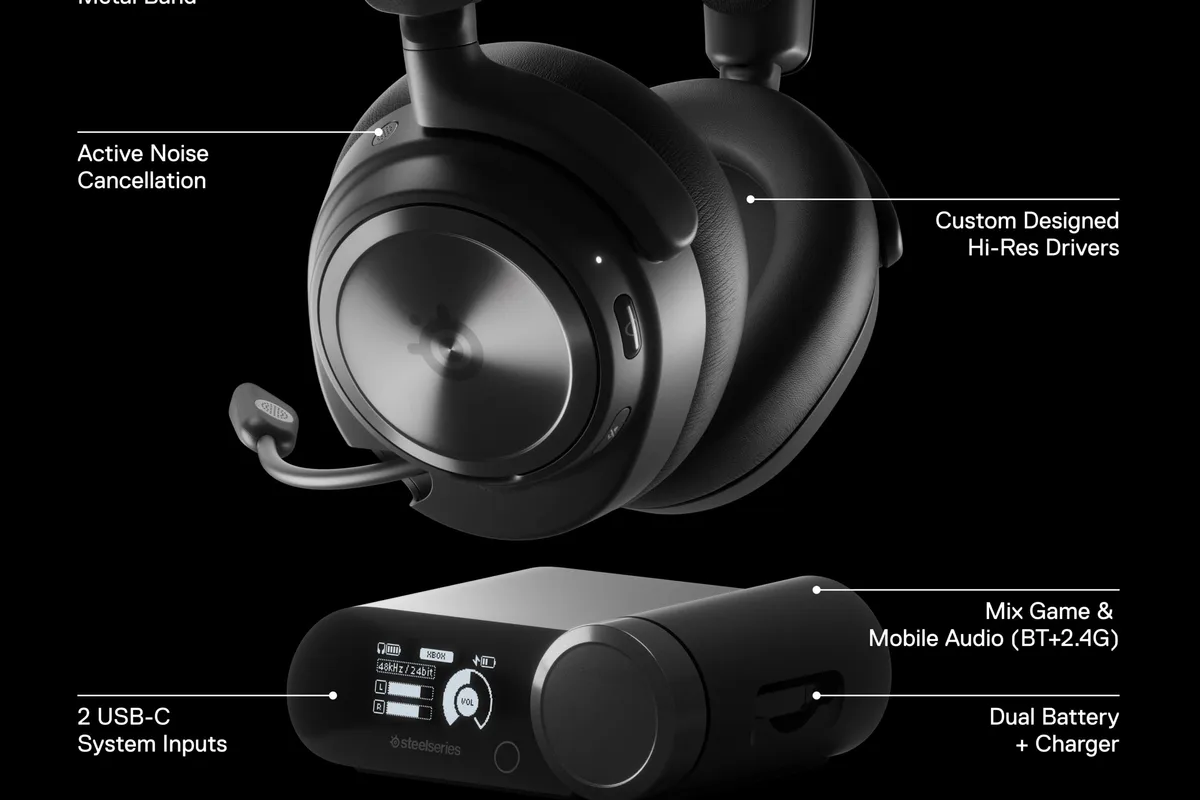
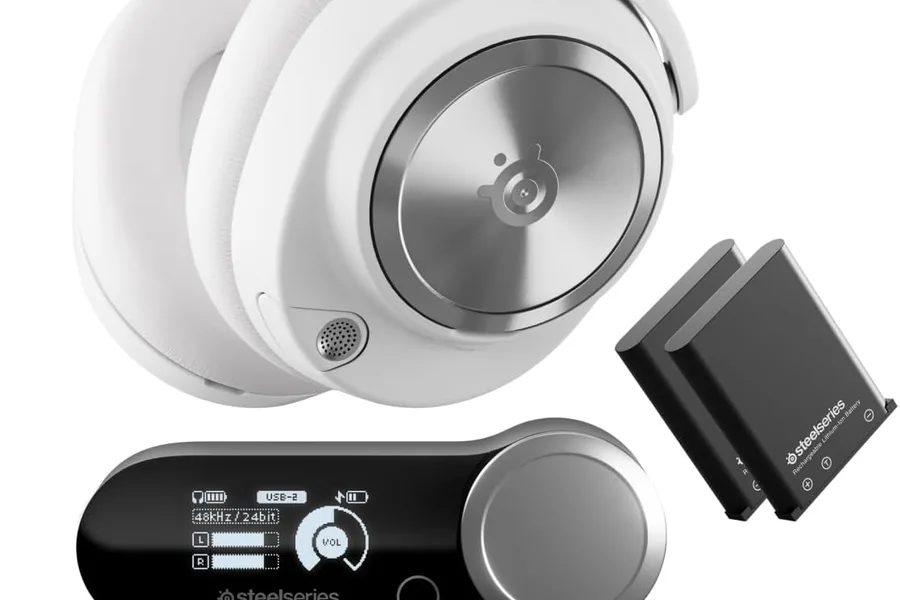
The Arctis Nova Pro is the headset to buy when positioning and comfort decide matches. Its drivers deliver clean, detailed imaging that makes footsteps directional, and the active noise cancellation removes the distractions of a noisy room. The microphone is one of the best in gaming, with clear pickup and effective noise rejection for team chat. The GameDAC adds multi-system connectivity and software EQ, so you can tune the sound for shooters, music, and calls. It is expensive and the GameDAC adds desk clutter, but for serious players it earns the price.
2. HyperX Cloud III — best value
HyperX Cloud III
Best value wired gaming headsetWhy it works
- 53mm drivers tuned for balanced game audio
- Durable aluminum frame with memory foam ear cushions
- Detachable noise-cancelling microphone
- Works with PC, PlayStation, Xbox, and Switch
Tradeoffs
- Comfortable
- Great price
- Solid build
- Wired only in the base model
- No active noise cancellation
The HyperX Cloud III is the headset I recommend most often because it does not feel like a budget product. The 53mm drivers are well tuned for game audio, the aluminum frame and memory foam cushions are comfortable for hours, and the detachable noise-cancelling microphone is clear enough for ranked play. It works with PC, PlayStation, Xbox, and Switch, which makes it the easiest recommendation for multi-platform households. It is wired, and there is no active noise cancellation, but at its price those are fair tradeoffs.
Comparison table
| Headset | Best for | Connection | ANC | Microphone | Multi-platform |
|---|---|---|---|---|---|
| Arctis Nova Pro | Competitive play | Wireless + GameDAC | Yes | Excellent | Yes |
| HyperX Cloud III | Value + comfort | Wired | No | Very good | Yes |
How to choose a gaming headset
Prioritize comfort first, because a headset with better specs that hurts after an hour will sit in a drawer. Look for weight under 350 grams, plush ear cushions, and a headband that does not pinch. Next, listen for imaging: read or watch reviews that describe how clearly footstep direction comes through, because that is the feature that wins games.
Then decide wired versus wireless. Wireless freedom matters if you stand up between matches or hate cable management, but you will charge it regularly. Wired headsets have no latency or battery concerns and usually cost less. Finally, check microphone quality and mute control, especially if you play in a noisy room or raid with friends who will forgive almost anything except a hot mic.
Setting up your headset for competitive audio
Default headset settings are rarely the best settings. Start in the companion app: set a flat or slightly boosted EQ for game audio, then make a second profile with more bass and vocal warmth for music and calls. If the headset supports spatial audio software, enable it in the game or the headset app and test whether footsteps become easier to place; if you cannot hear a difference, turn it off rather than carrying the processing cost.
Next, set the microphone levels. Open your system or streaming software’s input settings and adjust the gain until your voice peaks around minus 6 to minus 12 decibels, then test the result with a friend or a recording. A headset microphone that is too quiet makes you inaudible in team fights, while one that is too hot picks up every keyboard clack. If your headset has noise-rejection features or sidetone (hearing your own voice), enable sidetone at a low level; it stops you from shouting over your teammates.
Windows and console audio routing also deserve a minute. In Windows, set the headset as both the default output and default communication device so game audio and chat stay on the headset instead of splitting between speakers and headset. On consoles, check the headset’s companion app for firmware updates and audio presets, since manufacturers regularly improve EQ and mic behavior with updates.
Finally, protect the hardware. Hang the headset on a stand or hook when you are done, unplug or switch it off to save battery on wireless models, and replace the ear cushions when the foam flattens. A headset with fresh cushions and a charged battery performs like the day you bought it.
What not to overpay for
Do not pay extra for virtual 7.1 surround sound labels; well-tuned stereo is what most games actually use. Do not buy a headset with a great microphone but uncomfortable padding. And skip RGB lighting and “esports-tuned” marketing unless the core comfort and driver quality are already proven, because those features do nothing for how the headset sounds.
Final verdict
Choose the Arctis Nova Pro if competitive play is your main hobby and the budget allows. Choose the HyperX Cloud III for the best value in comfort and sound. Whichever you pick, set a quick EQ profile in the companion app, test the mic with a friend, and take breaks during long sessions; the best headset is the one you will actually wear.