
You want the premium ultrabook experience, but the checkout page says $1,400, and the laptop you actually need for coursework, travel, or a home office should not require a second mortgage. The good news is that the sub-$1,000 ultrabook market has never been stronger: fast ARM and Intel chips, sharp displays, and 16GB of RAM now appear at prices that used to buy plastic budget laptops. The catch is knowing where to compromise, because no sub-$1,000 laptop does everything. This guide covers the best ultrabooks under $1,000 in 2026 for real buyers.

Quick verdict
For most buyers, the Acer Swift Go 14 is the best value ultrabook under $1,000: a modern processor, a sharp display, and long battery life at a price that leaves room for accessories. If design matters most, the Dell XPS 13 on sale is the premium pick, and the HP Spectre x360 is the best 2-in-1 in the range.
Who this guide is for
This guide is for students, remote workers, and travelers who want a thin, light laptop for documents, browsing, video calls, and light creative work without spending over $1,000.
Who should skip these picks
Skip ultrabooks if you need serious gaming or rendering; a heavier laptop with a dedicated GPU is the right tool. Skip the 2-in-1 if you will never use touch, and skip any configuration with 8GB RAM, no matter how good the deal looks.
Best ultrabooks under $1,000
1. Acer Swift Go 14 — best overall value
Acer Swift Go 14
Best budget ultrabookWhy it works
- Intel Core Ultra 5 with AI NPU
- 14-inch 2.2K display
- Long battery life
- Lightweight aluminum design
Tradeoffs
- Strong value
- Nice display
- Good keyboard
- Average webcam
- Plastic bottom
The Swift Go 14 is the ultrabook that most people should buy under $1,000 because it spends the budget on the things that matter: a fast Intel Core Ultra processor with an AI NPU, a crisp 2.2K display, and genuinely long battery life. It is light enough for campus and travel, the keyboard is comfortable for essays and reports, and the aluminum lid looks far more expensive than the price. The webcam is average and the bottom is plastic, but at this price it is the best all-rounder.
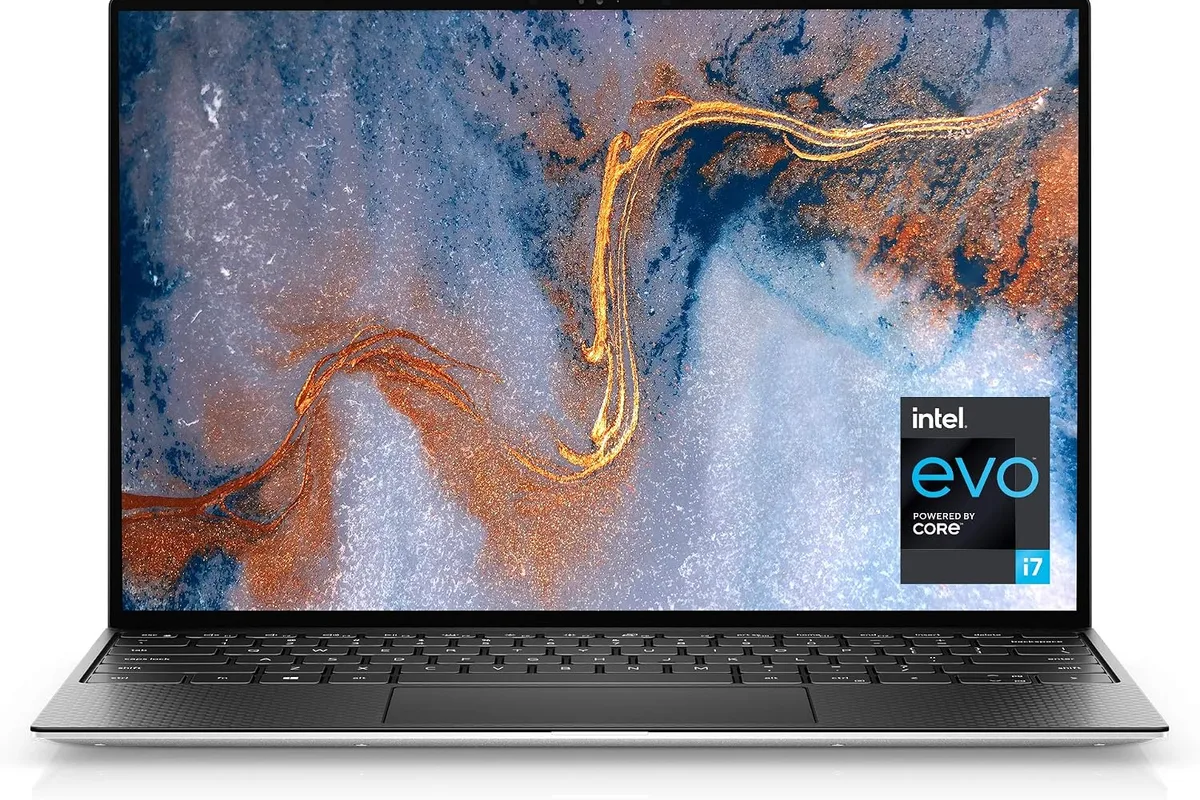
2. Dell XPS 13 — best design when it goes on sale
Dell XPS 13
Best ultrabook for premium portabilityWhy it works
- Ultra-slim aluminum and glass design
- 13.4-inch InfinityEdge display with OLED option
- Snapdragon X or Intel Core options with long battery
- Premium keyboard and trackpad
Tradeoffs
- Stunning design
- Great display
- Excellent portability
- Limited ports
- Premium price
The XPS 13 regularly drops below $1,000 during sales, and at that price it is the best-designed ultrabook you can buy. The aluminum and glass body, InfinityEdge display, and premium keyboard make it feel like a $1,500 machine. Base configurations with 16GB RAM and a fast SSD handle office work, media, and light creative tasks easily. Watch for the 8GB configurations, which you should skip, and grab the 16GB version when the discount appears.
3. HP Spectre x360 14 — best 2-in-1 under $1,000
HP Spectre x360 14
Best 2-in-1 ultrabookWhy it works
- 360-degree hinge with touch and pen support
- OLED display with excellent color
- Intel Core Ultra with AI features
- Long battery life in tablet and laptop modes
Tradeoffs
- Versatile design
- Gorgeous display
- Premium audio
- Pen sold separately
- Ports need adapters
The Spectre x360 is the convertible to choose when you want one device for laptop work, tablet reading, and pen notes. The 360-degree hinge is solid, the OLED option delivers stunning color for media and light photo work, and the build quality matches laptops far above its price. It is heavier and less battery-efficient than a clamshell, and the pen costs extra, but for a do-everything machine under $1,000 it is the best convertible.
4. Dell Inspiron 15 — best when screen size matters
Dell Inspiron 15
Best budget all-rounder with a big screenWhy it works
- 15.6-inch FHD display
- Intel Core i5 with 16GB RAM options
- Full-size keyboard with number pad
- Solid port selection
Tradeoffs
- Affordable
- Roomier display
- Good ports
- Plastic build
- Battery life is average
The Inspiron 15 is the pick for buyers who want a bigger screen and a number pad without leaving the budget tier. It is not as thin or premium as the others, but the 15.6-inch FHD display, full-size keyboard, and solid port selection make it a practical home-office machine. It is the compromise choice: less portability, more screen for the money.
Comparison table
| Laptop | Best for | Display | RAM | Battery | Form factor |
|---|---|---|---|---|---|
| Acer Swift Go 14 | Overall value | 2.2K 14“ | 16GB | Excellent | Clamshell |
| Dell XPS 13 | Premium design | FHD/OLED 13.4“ | 16GB | Excellent | Clamshell |
| HP Spectre x360 | 2-in-1 flexibility | OLED 14“ | 16GB | Very good | Convertible |
| Dell Inspiron 15 | Big screen + number pad | FHD 15.6“ | 16GB | Average | Clamshell |
How to choose an ultrabook under $1,000
Set the non-negotiables first: 16GB of RAM, a 512GB SSD, and a display with at least FHD resolution and decent brightness. Everything else is negotiable. Then decide between clamshell and convertible based on whether you will actually use touch, and between screen sizes based on where the laptop will live.
Check the sale calendar before buying. The XPS and Spectre routinely hit under $1,000 during major sales, and the Swift Go is frequently discounted below $800. Finally, read battery reviews, because the difference between an “all-day” claim and a real 8-hour workday is the difference between a laptop you love and one you charge twice a day.
What not to overpay for
Do not pay extra for 4K on a 14-inch screen. Do not buy configurations with 8GB RAM even if they are $100 cheaper. Skip touchscreens on clamshells if you never touch the screen, and avoid extended warranties on laptops under $1,000; the money is better spent on a protective sleeve and more storage.
Final verdict
Buy the Acer Swift Go 14 for the best value, the Dell XPS 13 when it drops below $1,000 for the best design, and the HP Spectre x360 if you need a convertible. Keep 16GB RAM as a hard requirement, set a price alert on your favorite model, and buy during a sale to stretch the budget even further.