
The backpack weighs eight pounds, and half of it is printed readings you will never open again. A tablet can replace the paper, the notebooks, and part of the laptop, but choosing one means navigating Apple and Android ecosystems, stylus costs, and storage tiers. For students in 2026, the best tablet is the one that matches how you study: handwritten notes, PDF annotation, media between classes, and maybe a little creative work. This guide covers the best tablets for students with honest advice on accessories and budgets.
Quick verdict
For most students, the iPad Air 11 (M3) is the best tablet: fast enough for everything, excellent for notes with the Apple Pencil Pro, and light enough to carry all day. On a tighter budget, the iPad 11 covers notes and media for less. The Samsung Galaxy Tab S10 FE is the best Android pick, especially since it includes the S Pen in the box.
Who this guide is for
This guide is for high school and college students who want a tablet for note-taking, reading, and media, and who are deciding between iPad and Android or between budget and performance tiers.
Who should skip these picks
Skip tablets entirely if your courses require Windows-only software; the tablet will be an extra device, not a replacement. Skip premium iPads if you only need media and reading, where the base iPad is the honest buy. And skip Android tablets if your school ecosystem is deeply Apple-based, since shared apps and features will favor the iPad.
Best tablets for students
1. Apple iPad Air 11 — best overall for students
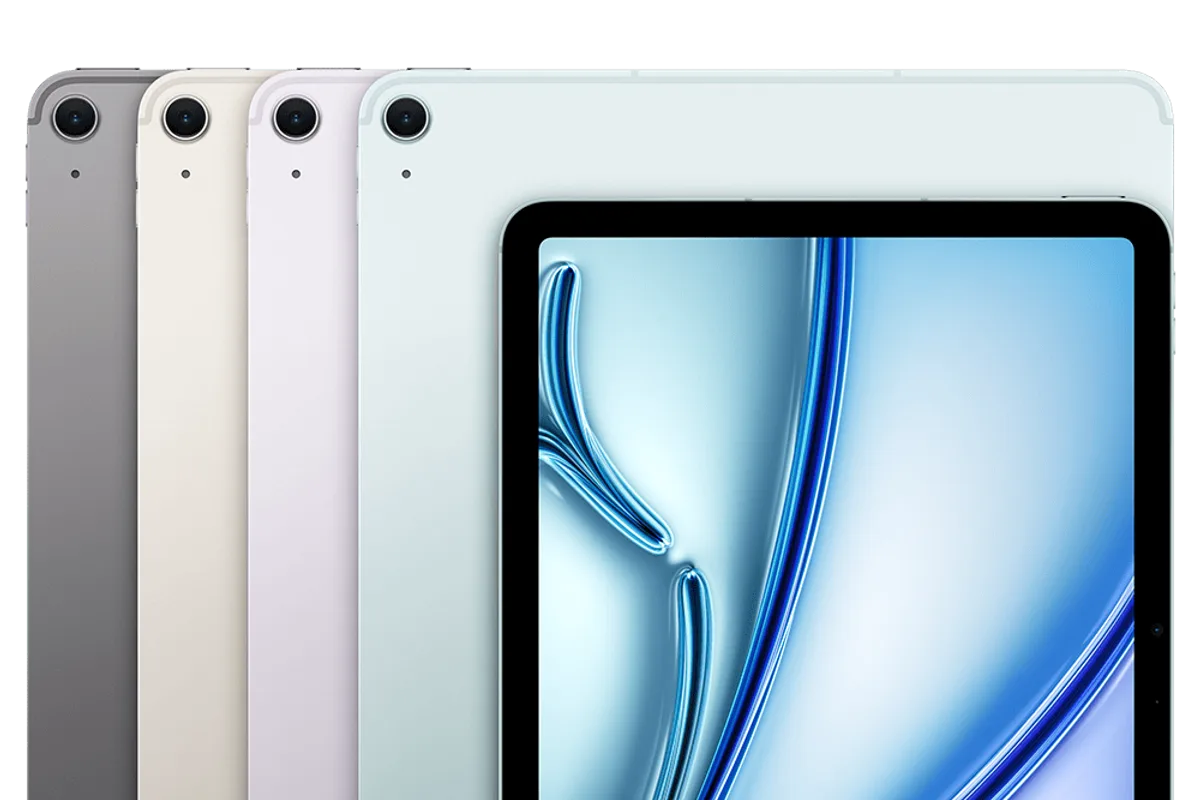
Apple iPad Air 11 (M3)
Best tablet for most studentsWhy it works
- M3 chip with desktop-class performance
- 11-inch Liquid Retina display
- Apple Pencil Pro support
- All-day battery life
Tradeoffs
- Fast and smooth
- Great app ecosystem
- Lightweight
- Accessories cost extra
- Storage upgrades are expensive
The iPad Air 11 is the sweet spot for students because it has the performance and accessories of a pro device without the pro price. The M3 chip handles notes, multitasking, media, and light creative work without breaking a sweat, the display is bright and sharp, and the Apple Pencil Pro adds the low-latency writing experience that makes digital notes feel natural. It works with the Magic Keyboard when you need a laptop-like setup. The storage tiers and accessories add up, but for a four-year study companion it is the best investment.
2. Apple iPad 11 — best budget pick
Apple iPad 11
Best budget tabletWhy it works
- A16 chip with smooth everyday performance
- 11-inch Liquid Retina display
- Apple Pencil USB-C support
- All-day battery life
Tradeoffs
- Affordable entry to iPadOS
- Great battery
- Reliable build
- Non-laminated display
- Base storage is limited
The iPad 11 is the right tablet for students who want the iPad experience at the lowest price. The A16 chip handles note-taking, reading, video calls, and media smoothly, the 11-inch display is fine for study work, and the Apple Pencil USB-C covers basic note-taking. It is heavier than the Air and the display is not laminated, which makes the stylus feel slightly less direct, but for notes and media it is excellent value.
3. Samsung Galaxy Tab S10 FE — best Android pick
Samsung Galaxy Tab S10 FE
Best Android tabletWhy it works
- 10.9-inch 90Hz display
- S Pen included in the box
- Long battery life with fast charging
- Expandable microSD storage
Tradeoffs
- S Pen included
- Great screen for the price
- Expandable storage
- Performance trails the iPad
- App optimization varies
The Galaxy Tab S10 FE is the best Android tablet for students, and the included S Pen makes it the best value note-taking setup in this guide. The 10.9-inch 90Hz display is bright and responsive, battery life is strong, and expandable storage solves the space problem without paying Apple’s upgrade prices. Android’s file system makes it easy to move PDFs and course files around. The app ecosystem for tablets is less refined than iPadOS, but for Android users it is the right choice.
Comparison table
| Tablet | Best for | Display | Stylus | Storage | Price tier |
|---|---|---|---|---|---|
| iPad Air 11 | Overall performance | 11“ Liquid Retina | Pencil Pro | 128GB+ | Mid |
| iPad 11 | Budget notes + media | 11“ Liquid Retina | Pencil USB-C | 64/128GB | Budget |
| Galaxy Tab S10 FE | Android + S Pen value | 10.9“ 90Hz | Included | Expandable | Budget |
How to choose a student tablet
Start with how you study. If you take handwritten notes daily, prioritize the stylus experience: the Apple Pencil Pro on iPad or the included S Pen on Samsung are the two best systems. If you mostly read PDFs and watch lectures, even the base models are enough, and the money should go to storage instead.
Then choose the ecosystem. Apple devices students already own (Mac, iPhone, AirPods) make the iPad the natural pick. Android users and those who want expandable storage should look at the Galaxy Tab. Finally, budget for the accessories you will actually use: a stylus for notes, a case with a stand, and a keyboard only if you plan to type long documents.
Setting up a tablet for study
The first hour of setup determines whether the tablet becomes a study tool or a media device. Pick one notes app and learn it well: GoodNotes, Notability, or Apple Notes on iPad, and Samsung Notes or OneNote on Android. Create a notebook structure that matches your classes, and set up the default template so every new note starts with the course name, date, and a title. A consistent system beats app-hopping when finals week arrives.
Then organize your course files before you need them. Create a folder per class in the Files app or your preferred cloud drive, enable offline access for the PDFs and readings you will use in class, and set automatic backup for your notes so a dead battery or a lost tablet does not erase a semester. Many schools provide cloud storage through Google Drive or OneDrive, so check your campus email for the free tier before paying for storage.
Learn the note-taking gestures that speed you up: pinch to zoom, the lasso tool to move handwriting, and the highlighter for PDFs. If your tablet has split-screen or drag-and-drop, practice pulling a lecture PDF next to your notes. These small habits turn the tablet from a replacement for paper into something paper never could be, searchable and always backed up.
Finally, protect the investment. A case with a stand and a screen protector costs far less than a repair, and the stylus should have a safe pocket or slot when not in use. Charge the tablet the night before long days, keep the screen clean, and update the operating system when prompted; a tablet that is maintained will comfortably last four years of school.
What not to overpay for
Do not buy a Pro-tier tablet for note-taking and media; the Air and base iPad cover those workflows. Do not pay Apple’s prices for storage if you can manage with cloud and 128GB. Skip cellular versions unless you genuinely study without Wi-Fi, and avoid keyboards unless you have already confirmed you will type on the tablet rather than a laptop.
Final verdict
Choose the iPad Air 11 for the best all-round study tablet, the iPad 11 for budget note-taking and media, and the Galaxy Tab S10 FE for Android users who want the S Pen included. Add the stylus you need, start with 128GB, and check whether your courses actually allow tablets in exams before making the switch from paper.