
Your colleagues keep saying they cannot hear you clearly, and after the third “sorry, can you repeat that?” you finally accept that the laptop microphone is not going to cut it. Video calls are the new conference room, and a good headset is the difference between sounding professional and sounding like you are calling from a wind tunnel. In 2026, the best meeting headsets combine clear microphones, all-day comfort, and reliable wireless, and the choice comes down to whether you want a dedicated work headset or a premium headphone that also takes calls. This guide covers both.
Quick verdict
For dedicated meeting use, the Jabra Evolve2 65 is the best headset: outstanding microphone clarity, a busy light, and battery life that outlasts your calendar. If you want one premium device for music and calls, the Sony WH-1000XM5 are the best all-rounder, with the Bose QuietComfort Ultra close behind for comfort.
Who this guide is for
This guide is for remote workers, consultants, and anyone whose day is built around video meetings, and who wants to be heard clearly without paying for a full conference setup.
Who should skip these picks
Skip dedicated headsets if you only take occasional calls; a good pair of earbuds or headphones handles them fine. Skip over-ear headsets if you hate the feeling of headphones and prefer the lighter touch of earbuds with a microphone.
Best headsets for video calls
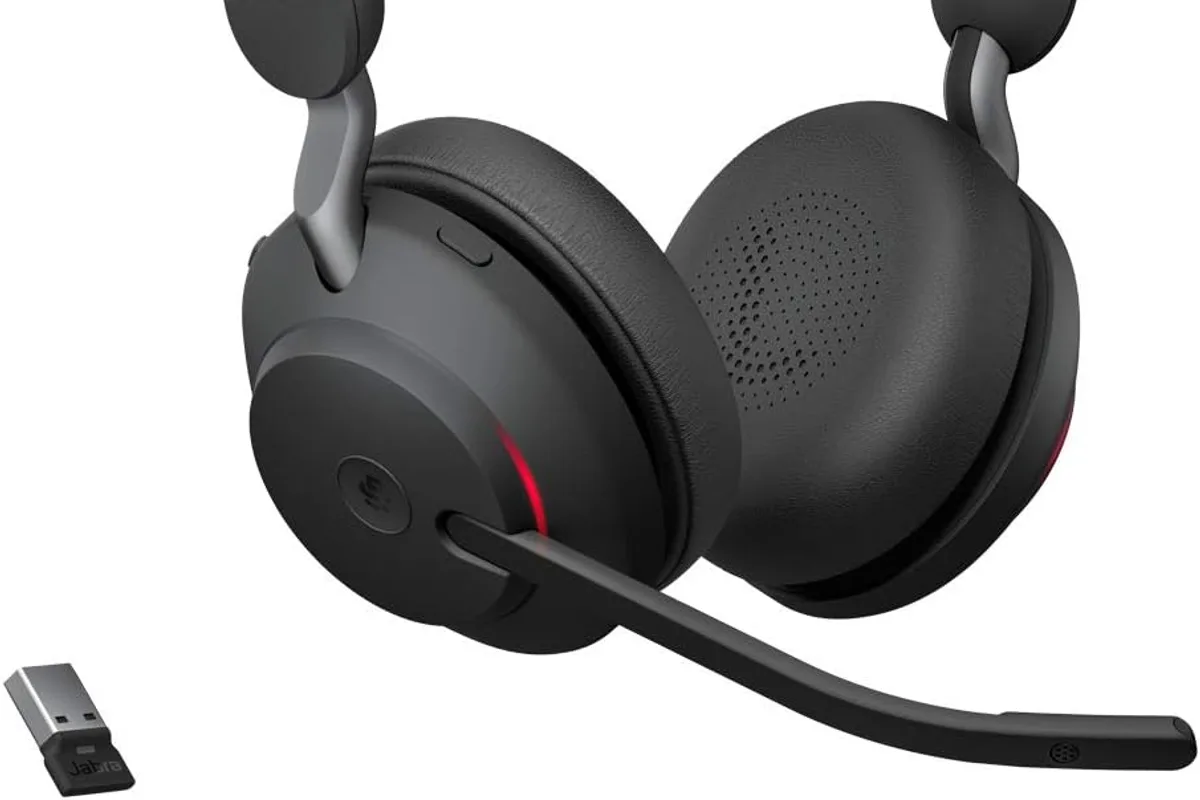
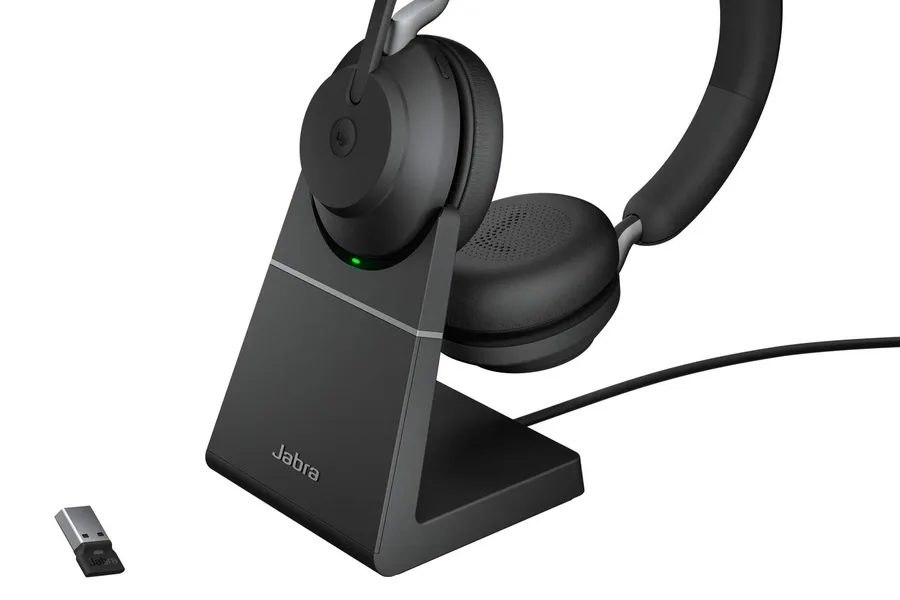
1. Jabra Evolve2 65 — best dedicated meeting headset
Jabra Evolve2 65
Best headset for video calls and meetingsWhy it works
- Dual-microphone call clarity with busy light
- Up to 37 hours of talk time
- Comfortable memory foam ear cushions
- Teams or Zoom certified variants
Tradeoffs
- Excellent microphone
- All-day battery
- Professional design
- Not tuned for music
- Premium price
The Evolve2 65 is the headset built for the way work actually happens: back-to-back meetings, open offices, and the need to be heard clearly the first time. The dual-microphone system rejects background noise well, the busy light politely signals call-in-progress, and the 37-hour battery survives a full work week of calls. It is available in Teams and Zoom certified versions, and the memory foam cushions stay comfortable through long days. Music quality is secondary here, but that is not the job.
2. Sony WH-1000XM5 — best premium all-rounder
Sony WH-1000XM5
Best noise-cancelling headphones overallWhy it works
- Dual-chip active noise cancellation
- 30-hour battery with quick charging
- Multipoint connection for two devices
- Comfortable over-ear design
Tradeoffs
- Best-in-class ANC
- Excellent sound
- Great call quality
- Not foldable
- Premium price
The WH-1000XM5 are the choice when the same headphones need to excel at music, focus, and calls. The microphone quality is the best among premium ANC headphones, the noise cancellation keeps your meetings distraction-free, and the sound is excellent for music between calls. Multipoint connection pairs your laptop and phone at once, and the 30-hour battery lasts the week. They lack a busy light and are overkill for call-only users, but as a one-device solution they are superb.
3. Bose QuietComfort Ultra — best comfort for long call days
Bose QuietComfort Ultra
Best noise-cancelling headphones for comfortWhy it works
- Bose Immersive Audio with spatial sound
- Legendary QuietComfort ANC
- 24-hour battery life
- Multipoint Bluetooth and USB-C
Tradeoffs
- Most comfortable fit
- Excellent ANC
- Strong spatial audio
- Expensive
- Battery drains faster in immersive mode
The QuietComfort Ultra are the pick for people who wear headphones all day and value comfort above everything. The fit is the lightest-feeling in the premium class, the ANC is excellent for open-office focus, and call quality is good, if a step behind Sony. Immersive Audio adds a spacious feel to music between meetings. They cost as much as the Sony, so choose them for the fit and comfort rather than call features.
Comparison table
| Headset | Best for | Mic quality | Battery | Busy light | Music |
|---|---|---|---|---|---|
| Jabra Evolve2 65 | Dedicated meetings | Outstanding | 37 hrs | Yes | Good |
| Sony WH-1000XM5 | Music + calls | Excellent | 30 hrs | No | Excellent |
| Bose QC Ultra | All-day comfort | Very good | 24 hrs | No | Excellent |
How to choose a headset for calls
Decide between a dedicated headset and a general-purpose headphone. If meetings dominate your day, the busy light, certified controls, and superior microphone of a headset like the Jabra justify the purchase. If you also want great music, a premium headphone covers both, with a small tradeoff in mic quality.
Then check the practical details: battery life for wireless models, a physical mute button, multipoint connection, and comfort for all-day wear. Read call-quality reviews in realistic conditions, because mic tests recorded in studios do not reflect office noise.
Setting up your meeting audio
The hardware only helps if the software routes it correctly. In your meeting app, set the headset as both the microphone and speaker device, and check the “test call” or device settings before your first real meeting. On Windows, also set the headset as the default communication device in sound settings so notifications, calls, and games do not steal the audio. If the headset uses a USB dongle, plug it into the port closest to your router-free desk and keep it there; dongles are easy to lose and easy to confuse.
Mic placement is simple but overlooked: the boom or microphone should sit at the corner of your mouth, not on your chest or below your chin. Speak at your normal volume and record a test in your meeting app, then adjust the input gain so your voice is clear without peaking. If colleagues mention background noise, use the noise-suppression setting in your meeting app as a second layer; modern meeting apps handle keyboard clicks and room echo surprisingly well.
Build a mute habit. Use the physical mute button on the headset when you are not speaking, and unmute with intention when you talk. A busy light on headsets like the Evolve2 65 helps in shared spaces, but a reliable mute button is what saves you in every meeting.
Finally, keep the battery predictable. Charge wireless headsets at the end of the workday or keep the cable at your desk, and use the headset’s companion app to check battery before a call-heavy morning. A headset that dies at 10 a.m. is worse than no headset at all.
What not to overpay for
Do not pay for a heavy microphone boom if you never take calls in noisy environments. Do not pay for ANC in a quiet home office where it adds nothing. Skip certification premiums unless your organization requires certified hardware, and avoid headsets without a mute button, which is the feature you will use most.
Final verdict
Choose the Jabra Evolve2 65 if meetings are your day job, the Sony WH-1000XM5 for the best music-plus-calls balance, and the Bose QuietComfort Ultra if all-day comfort leads. Test your microphone in the apps you actually use, and buy the model that makes your colleagues stop saying “can you repeat that?”